

Noota - Screen Recorder & Meeting Assistant

Panoramica
Live Assistant | Record, Transcribe & Summarize Google Meet, Zoom & Teams meetings
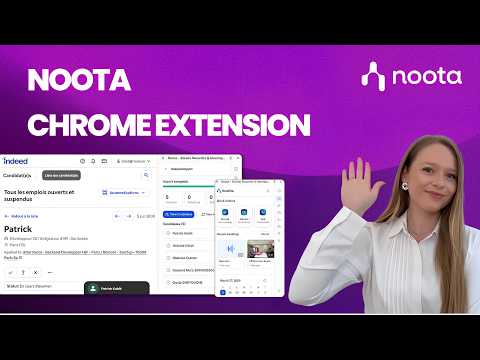
Noota Chrome Extension | Record, transcribe & summarize meetings and calls in one click, right from your browser. Stop switching between tools. Capture everything that matters and keep all your conversations in one place. ⚡ Key Features • Record meetings, your screen, or any browser tab without a bot. • Click to call from any website and start recording conversations instantly, no copy-paste. • Get AI-generated reports, transcripts, scorecards, and ready-to-send follow-up emails automatically. • Use Ask Noota, your AI chat, to ask anything about your conversations and instantly generate insights and structured resources. • Access all your recordings in one place, ready to review. • Get a clear view of your upcoming meetings with your integrated calendar and decide when to invite your bot to join. 💼 For recruitment teams: unlock additional features with Noota Talent module • Take your recruiting workflows further, directly from your browser. • Use Noota anywhere, directly inside your ATS and keep all your conversations synchronized without switching tabs. • Import candidates from Indeed or your internal job boards into Noota in one click. • Everything about your candidates, in seconds: experience, education, emails, calls… and act instantly in one click. • Get a clear view of all your open jobs, with candidates and interviews fully connected. • Evaluate candidates with AI-powered scoring, match them to your open roles, and identify the best fit instantly. • Generate clear insights to support faster and better hiring decisions. • Access all your interviews with AI reports, scorecards, clips, transcripts, and follow-up emails. With our Chrome extension, Noota is always one click away, right inside your workflow.
4,6 su 533 valutazioni
Dettagli
- Versione5.1.3
- Ultimo aggiornamento:22 aprile 2026
- FunzioniOffre acquisti in-app
- Dimensioni6.37MiB
- LingueEnglish
- SviluppatoreNootaSito web
13 RUE SAINTE URSULE TOULOUSE 31000 FREmail
contact@noota.ioTelefono
+33 6 47 22 78 79 - CommercianteQuesto sviluppatore si è identificato come commerciante in base alla definizione dell'Unione Europea e si è impegnato a offrire solo prodotti o servizi conformi alle leggi dell'UE.
- D-U-N-S274950993
Privacy

Noota - Screen Recorder & Meeting Assistant ha comunicato le seguenti informazioni relative alla raccolta e all'utilizzo dei tuoi dati. Per informazioni più dettagliate, consulta le privacy policy dello sviluppatore.
Noota - Screen Recorder & Meeting Assistant gestisce quanto segue:
Questo sviluppatore dichiara che i tuoi dati:
- Non vengono venduti a terze parti, se non per i casi d'uso approvati.
- Non vengono usati o trasferiti per finalità non correlate alle funzionalità principali dell'elemento.
- Non vengono usati o trasferiti per stabilire l'affidabilità creditizia o per finalità di prestito.
Assistenza
Per ricevere assistenza in merito a domande, suggerimenti o problemi, visita il sito di assistenza dello sviluppatore