

Noota - Screen Recorder & Meeting Assistant

Overview
Live Assistant | Record, Transcribe & Summarize Google Meet, Zoom & Teams meetings
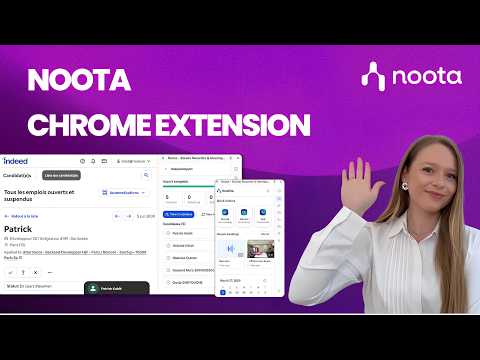
Noota Chrome Extension | Record, transcribe & summarize meetings and calls in one click, right from your browser. Stop switching between tools. Capture everything that matters and keep all your conversations in one place. ⚡ Key Features • Record meetings, your screen, or any browser tab without a bot. • Click to call from any website and start recording conversations instantly, no copy-paste. • Get AI-generated reports, transcripts, scorecards, and ready-to-send follow-up emails automatically. • Use Ask Noota, your AI chat, to ask anything about your conversations and instantly generate insights and structured resources. • Access all your recordings in one place, ready to review. • Get a clear view of your upcoming meetings with your integrated calendar and decide when to invite your bot to join. 💼 For recruitment teams: unlock additional features with Noota Talent module • Take your recruiting workflows further, directly from your browser. • Use Noota anywhere, directly inside your ATS and keep all your conversations synchronized without switching tabs. • Import candidates from Indeed or your internal job boards into Noota in one click. • Everything about your candidates, in seconds: experience, education, emails, calls… and act instantly in one click. • Get a clear view of all your open jobs, with candidates and interviews fully connected. • Evaluate candidates with AI-powered scoring, match them to your open roles, and identify the best fit instantly. • Generate clear insights to support faster and better hiring decisions. • Access all your interviews with AI reports, scorecards, clips, transcripts, and follow-up emails. With our Chrome extension, Noota is always one click away, right inside your workflow.
4.6 out of 533 ratings
Details
- Version5.1.8
- UpdatedSeptember 23, 2026
- FeaturesOffers in-app purchases
- Size6.34MiB
- LanguagesEnglish
- Developer
- TraderThis developer has identified itself as a trader per the definition from the European Union and committed to only offer products or services that comply with EU laws.
- D-U-N-S274950993
Privacy

Noota - Screen Recorder & Meeting Assistant has disclosed the following information regarding the collection and usage of your data. More detailed information can be found in the developer's privacy policy.
Noota - Screen Recorder & Meeting Assistant handles the following:
This developer declares that your data is
- Not being sold to third parties, outside of the approved use cases
- Not being used or transferred for purposes that are unrelated to the item's core functionality
- Not being used or transferred to determine creditworthiness or for lending purposes
Support
For help with questions, suggestions, or problems, visit the developer's support site