

Noota - Screen Recorder & Meeting Assistant

Descripción general
Live Assistant | Record, Transcribe & Summarize Google Meet, Zoom & Teams meetings
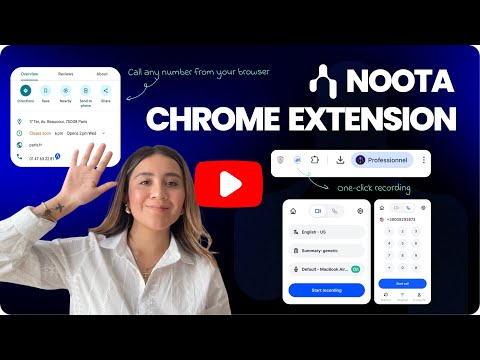
Record, Call & Capture Key Moments - Right from your browser! Tired of switching tabs to join meetings, take notes, or make a call? The Noota Chrome Extension is your new shortcut for faster meetings, smarter calls, and clear follow-ups all in one place 📌. Whether you're in Google Meet, on a CRM page, or browsing a phone number on your favorite ATS, Noota helps you stay focused and capture what matters. Key Features You’ll Love • 🎬 One Click to Record Your Screen or Meeting • 🧭 Record any tab, meeting, or workflow step directly from Chrome. Your files are downloaded instantly and also saved to your Noota dashboard. • 🔗 Click-to-Call from Any Website • 📲 See a phone number on a site? Click the Noota icon next to it and start the call, no copy-pasting, no switching devices. • 🤝 Perfect for recruiters, sales reps, and anyone who makes daily calls. • 🧠 Live Guidelines at Your Fingertips • 🗂️ Display your meeting script or checklist directly in the extension. As the conversation progresses, check off points as you go, no need to alt-tab. • ✒️ Text-Only Mode for Discreet Note-Taking • 🕶️ No audio. No video. Just clean, structured transcripts of your meetings, ideal for moments where recording isn’t an option. Custom Settings Per Tab Configure language, microphone input, templates and more, separately for Recording or Call modes. Also, switch dark/light mode with one click ! 🛠️ Designed for Real Workflows • Noota is trusted by recruiters, sales teams, consultants, and managers who want to: • ⏱️ Save time on meeting reports • 🧘 Stay fully present in conversations • 🎯 Record or call without friction • 🗂️ Keep all their notes centralized and shareable Made in 🇫🇷 with ❤️ Secure, simple, and ready to use across your team !
4,7 de 531 valoraciones
Detalles
- Versión4.0.5
- Actualizado12 de diciembre de 2025
- FuncionesOfrece compras en aplicaciones
- Tamaño6.69MiB
- IdiomasEnglish
- DesarrolladorNootaSitio web
13 RUE SAINTE URSULE TOULOUSE 31000 FRCorreo electrónico
contact@noota.ioTeléfono
+33 6 47 22 78 79 - OperadorEste desarrollador se ha identificado como operador según la definición de la Unión Europea y se ha comprometido a ofrecer solo productos o servicios que cumplan las leyes de la UE.
- D-U-N-S274950993
Privacidad

Noota - Screen Recorder & Meeting Assistant ha revelado la siguiente información sobre la recogida y el uso de tus datos. Puedes consultar información más detallada en la privacy policy del desarrollador.
Noota - Screen Recorder & Meeting Assistant gestiona lo siguiente:
Este desarrollador declara que tus datos:
- No se venden a terceros, excepto en los casos de uso aprobados
- No se usan ni se transfieren para fines no relacionados con la función principal del elemento.
- No se usan ni se transfieren para determinar la situación crediticia ni para ofrecer préstamos.
Ayuda
Si tienes alguna pregunta, sugerencia o problema, visita el sitio de asistencia del desarrollador.