

Noos.AI: Spatial AI Copilot, Ghost Writer & Screen Summary

Overview
10 FREE daily AI actions! Alt+Click Vision AI, YouTube & Page Summary, Inline Ghost Writer, Voice Cloning & 1-Click Notion Sync.
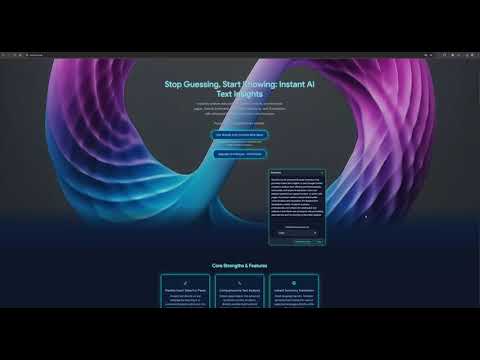
Noos.AI v3.1: Your Google Gemini Powered Spatial AI, Research & Writing Copilot Now with 10 FREE AI Actions Every Day! Meet the Inline Ghost Writer, Magic Pointer v2, AI Voice Cloning, Custom Personas, and 1-Click Shareable Report Links! Supercharge your browsing experience with Noos.AI v3.1, the intelligent in-browser AI copilot powered by Google's latest Gemini architecture. Cut hours of reading, research, and writing down to seconds without ever leaving your tab. Capture and analyze any region of your screen with Spatial AI, polish and draft replies in your exact voice directly inside Gmail, LinkedIn, X, and Google Docs, and share structured insights with a single click. NEW in v3.1: The "Inline Ghost Writer & Conversion" Update • Inline Ghost Writer (1-Click In-Place Writing): - Focus any text input or editor on Gmail, LinkedIn, X (Twitter), Slack, or Google Docs to summon the unobtrusive Noos.AI Ghost Writer pill. - Polish text, draft context-aware replies, or shift tone (Executive, Friendly, Concise, Persuasive) in 1 click—replacing your text in-place with zero copy-pasting. • AI Voice Cloning ("Train Your Voice"): - Stop sounding like a generic AI chatbot. Paste 3 samples of your writing in the Options page to extract your unique Voice DNA Profile. - Free users can preview their extracted Voice DNA; Pro users activate their personal Voice Clone across every rewrite, email reply, and Ghost Writer action automatically. • Custom Persona Manager (Free & Cloud-Synced Pro): - Create 1 Custom AI Persona on the Free Tier to tailor responses to your role (e.g., "Senior Product Manager", "Academic Researcher", "Direct Copywriter"). - Upgrade to Pro for Unlimited Custom Personas synced across your browser and the Noos.AI Web Studio. • Magic Pointer v2 (Spatial Vision AI): - Hover Mode: Hold 'Alt' to highlight page elements and analyze them instantly. - Alt + Drag Capture: Drag a rectangle over any chart, diagram, table, or UI layout on your screen for instant multimodal visual analysis. - YouTube Transcript Synthesis: Summarize, translate, or extract key takeaways from any YouTube video in seconds. • 1-Click Shareable Report Links & Notion Sync: - Generate a public Shareable Report Link or copy a clean Markdown Brief from any AI analysis to share with teammates or clients. - Connect your Notion workspace to send structured summaries, sentiment breakdowns, and research notes directly to Notion in 1 click. --- One Extension, Four Superpowers: Noos.AI replaces multiple separate extensions and subscriptions in one lightweight, Google Sans-crafted interface: 1. Spatial & Visual Analyst: Point-and-click or drag-select any screen region, chart, or YouTube video for instant breakdown. 2. Inline Ghost Writer: Draft, polish, and reply inside any web editor in your own cloned voice. 3. Deep Researcher & Summarizer: Condense dense articles, academic papers, or multi-hour transcripts and ask interactive follow-up questions in real time. 4. Sentiment & Context Intelligence: Uncover psychological tone, emotional drivers, and confidence scores behind emails, reviews, and market discussions. --- Generous Free Daily Pilot (No Credit Card Required): • 10 Free AI Actions Every Day (resets automatically at midnight). • Magic Pointer v2 Vision & YouTube Video Summarizer included. • Inline Ghost Writer (Polish, Reply & Tone) included in your daily pool. • 1 Custom AI Persona + Free Voice DNA Profile Preview. • 1-Click Shareable Report Links, Markdown Briefs & Notion Export. --- Unlock Unlimited Power with Noos.AI Pro (€9.99/mo Annual or €12.99/mo Monthly): • Unlimited Extension Actions: Zero daily limits on summaries, Magic Pointer Vision captures, or Ghost Writer rewrites. • Full Active AI Voice Cloning: Write and reply in your authentic personal voice everywhere on the web. • Unlimited Custom Personas: Full cloud sync with the Noos.AI Web Studio and Live Cockpit. • 1,000 Studio Workflow Actions / Month + Priority Fast-Lane Processing. • Instant 1-Click License Activation right from the checkout confirmation page. Privacy First: Built on enterprise-grade Google Gemini infrastructure. Your data is processed securely over HTTPS in real time, never used for model training, and belongs entirely to you.
4.9 out of 576 ratings
Details
- Version3.1.1
- UpdatedOctober 16, 2026
- FeaturesOffers in-app purchases
- Size103KiB
- LanguagesEnglish
- DeveloperAlexandros SamarasWebsite
Gerrit Rietveldsingel 599 Diemen 1112 ZB NLEmail
info@noosai.co.ukPhone
+31 6 16899140 - TraderThis developer has identified itself as a trader per the definition from the European Union and committed to only offer products or services that comply with EU laws.
Privacy

Noos.AI: Spatial AI Copilot, Ghost Writer & Screen Summary has disclosed the following information regarding the collection and usage of your data. More detailed information can be found in the developer's privacy policy.
Noos.AI: Spatial AI Copilot, Ghost Writer & Screen Summary handles the following:
This developer declares that your data is
- Not being sold to third parties, outside of the approved use cases
- Not being used or transferred for purposes that are unrelated to the item's core functionality
- Not being used or transferred to determine creditworthiness or for lending purposes
Support
For help with questions, suggestions, or problems, visit the developer's support site