

Noodle Frame - ADHD Reading Focus Tool
1 rating
)
Overview
Transforms readable webpages into a focused experience for ADHD minds. Reduces distractions and enhances focus.
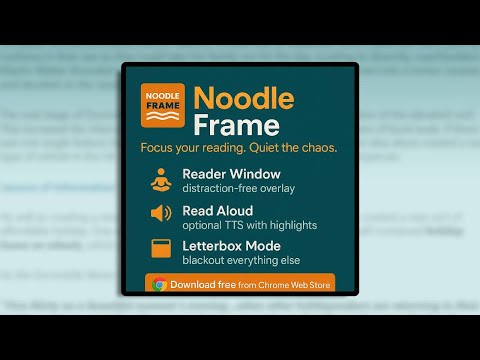
Noodle Frame helps you focus on reading by removing distractions and presenting a clean, customisable overlay on top of most webpages. Whether you're managing ADHD, tired of noisy layouts, or just want a clearer reading experience, Noodle Frame clears the clutter and puts you in control. 🧰 Features: Reader Window – Extracts article content from most webpages into a distraction-free overlay. Distraction-Free Slider (DF) – Hide ads, banners, popups, and sidebars on the underlying page. Content Filter (CF) – Fine-tune what appears inside the reader (e.g. remove comment sections or promotional boxes). Read Aloud – Click 🔊 to hear content read aloud, with optional word and paragraph highlighting. Adjust voice and speed in Settings. Letterbox Mode – Darkens everything except your chosen reading window—ideal for visually noisy layouts. Paste Mode – Import and read your own text or notes inside the same clean reader window. Settings – Customise font, font size, zoom, blackout opacity, theme (light, dark, or blue), voice speed, and overlay size. All settings are saved locally. Compatibility Notes Noodle Frame works best on article-based sites like blogs, news, or encyclopedias. Some interactive or social sites may not support automatic extraction. In these cases, Letterbox Mode lets you manually focus on any area of the page. Read Aloud uses system-installed voices. On Windows, highlighting works well with most voices, but Google voices may not support word-by-word highlighting reliably due to Chrome limitations. Paragraph highlighting still works. Font and voice choices depend on what’s available on your device. Noodle Frame is lightweight, private, and offline-ready. No tracking. No data collection. Try it free and reclaim your focus—one page at a time.
5 out of 51 rating
Details
- Version1.0
- UpdatedAugust 26, 2025
- Offered byJoe Freeman
- Size49.2KiB
- LanguagesEnglish (United Kingdom)
- Developer
Email
support@noodleframe.jackdawinnovation.com - Non-traderThis developer has not identified itself as a trader. For consumers in the European Union, please note that consumer rights do not apply to contracts between you and this developer.
Privacy

This developer declares that your data is
- Not being sold to third parties, outside of the approved use cases
- Not being used or transferred for purposes that are unrelated to the item's core functionality
- Not being used or transferred to determine creditworthiness or for lending purposes
Support
For help with questions, suggestions, or problems, please open this page on your desktop browser