


Overview
A Google Tasks-like productivity extension for managing your tasks and lists
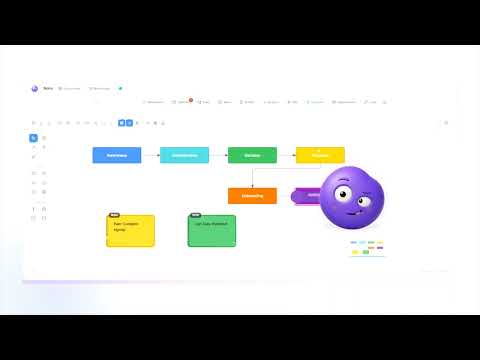
Nomi turns every new Chrome tab into a complete product workspace. Instead of a blank page or scattered bookmarks, you get a focused environment designed specifically for product managers, designers, and product teams. What Nomi Does When you open a new tab, Nomi gives you: Task boards to organize work with drag-and-drop cards, priorities, due dates, subtasks, and WIP limits A smart calendar that supports both Gregorian and Jalali (Persian) calendars, Google Calendar sync, and external calendar links An infinite notes canvas for free-form thinking, sticky notes, checklists, and visual planning A full flowchart editor for user flows, process diagrams, system architecture, and decision trees Focus Mode with Pomodoro timer, distraction tracking, focus scoring, streaks, and a 90-day heatmap AI assistance to generate tasks, analyze your boards, and chat — using Nomi’s AI or your own API key Quick links, cloud sync across devices, bilingual English/Persian support, and light/dark themes Everything lives in one place. No switching between tools. No losing context. Why You Should Install It Most product work is fragmented. Tasks live in one app, calendars in another, notes somewhere else, diagrams in yet another tool, and focus timers are separate again. This constant switching drains attention and slows you down. Nomi removes that friction. It puts the tools you actually use every day into a single, clean new-tab experience. You open a tab and immediately see your boards, today’s schedule, active notes, and focus status — ready to work. It is especially useful if you: Manage multiple projects or product initiatives Need both Gregorian and Persian calendars Create user flows or system diagrams regularly Want better focus tracking without another standalone app Prefer keeping sensitive work data under your control (local storage + optional cloud sync) Nomi is built to stay out of your way when you don’t need it and to be powerful when you do. Install it once, open a new tab, and start working with less friction and more clarity.
5 out of 52 ratings
Details
- Version2.2.2
- UpdatedSeptember 7, 2026
- Size2.5MiB
- LanguagesEnglish (United States)
- DeveloperWebsite
Email
hossynassghary@gmail.com - Non-traderThis developer has not identified itself as a trader. For consumers in the European Union, please note that consumer rights do not apply to contracts between you and this developer.
Privacy

Nomi: Product Team Assistant has disclosed the following information regarding the collection and usage of your data. More detailed information can be found in the developer's privacy policy.
Nomi: Product Team Assistant handles the following:
This developer declares that your data is
- Not being sold to third parties, outside of the approved use cases
- Not being used or transferred for purposes that are unrelated to the item's core functionality
- Not being used or transferred to determine creditworthiness or for lending purposes
Support
For help with questions, suggestions, or problems, please open this page on your desktop browser