

Nod Scroll — Hands-Free Short Video
1 rating
)
Overview
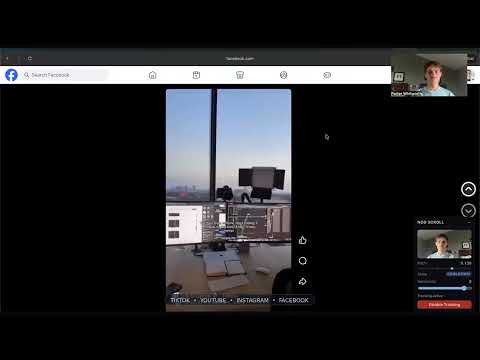
Navigate Facebook Reels, YouTube Shorts, TikTok, and Instagram Reels with head nods. Camera processing stays on-device.
Control short videos hands-free using simple head nods. Nod Scroll lets you scroll Facebook Reels, YouTube Shorts, TikTok, and Instagram Reels without touching your keyboard or mouse. Perfect for eating, multitasking, workouts, accessibility, or hands-free browsing. Features: • Nod up for next reel, nod down for previous • Open your mouth to like the current reel • Supports Facebook Reels, YouTube Shorts, TikTok, and Instagram Reels • Camera processing stays fully on-device for privacy • Works hands-free — perfect for eating, working out, or multitasking How it works: 1. Open your favorite short-video platform 2. Enable Nod Scroll 3. Nod your head to navigate videos No data is uploaded or stored remotely.
5 out of 51 rating
Details
- Version1.6.5
- UpdatedJuly 6, 2026
- Size8.82MiB
- LanguagesEnglish
- Developer
Email
porterwhitworth@gmail.com - Non-traderThis developer has not identified itself as a trader. For consumers in the European Union, please note that consumer rights do not apply to contracts between you and this developer.
Privacy

This developer declares that your data is
- Not being sold to third parties, outside of the approved use cases
- Not being used or transferred for purposes that are unrelated to the item's core functionality
- Not being used or transferred to determine creditworthiness or for lending purposes
Support
For help with questions, suggestions, or problems, visit the developer's support site