Item logo image for Noctua

Noctua

Item media 6 (screenshot) for Noctua
Item video thumbnail
Item media 2 (screenshot) for Noctua
Item media 3 (screenshot) for Noctua
Item media 4 (screenshot) for Noctua
Item media 5 (screenshot) for Noctua
Item media 6 (screenshot) for Noctua
Item video thumbnail
Item media 2 (screenshot) for Noctua
Item media 3 (screenshot) for Noctua
Item media 4 (screenshot) for Noctua
Item media 5 (screenshot) for Noctua
Item media 6 (screenshot) for Noctua

Overview

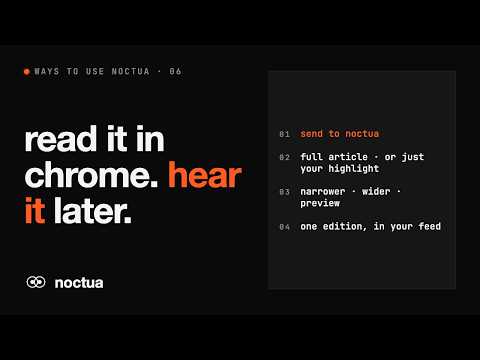
Send the article you're reading, or just the text you've highlighted, to your Noctua podcast feed.

Turn what you read into something you can listen to. Noctua converts articles and text into natural-sounding audio and delivers it to your own private podcast feed. This extension sends whatever you're reading straight to Noctua, so you can listen to it later on a walk, on the commute or at the gym. HOW IT WORKS • Click the Noctua icon on any article. The extension finds the main text and leaves out menus, ads and sidebars. • Not quite right? Make the selected area narrower or wider, and check the preview before you send. • Only want part of a page? Highlight the text, right-click and choose "send selection to noctua". • Edit the episode title if you like, then send. It'll be in your feed shortly. LISTEN ANYWHERE Your Noctua feed works in the podcast app you already use, including Apple Podcasts, Pocket Casts and Overcast. GETTING STARTED 1. Sign in at cast.noctua.uno and create a personal API key in Settings. 2. Open the extension's settings and paste in your key. 3. Open an article and click "send to noctua". PRIVACY • The extension reads a page only when you click its icon or choose "send selection to noctua". It doesn't track your browsing. • Only the text you choose to send goes to Noctua, to be converted into audio. • Your API key is stored on this device only and is never synced. Requires a Noctua account. Pay as you go, with no subscription.

Details

  • Version
    0.1.0
  • Updated
    October 28, 2026
  • Size
    35.64KiB
  • Languages
    English
  • Developer
    Glyn Darkin
    Website
    Email
    bubo@noctua.uno
  • Non-trader
    This developer has not identified itself as a trader. For consumers in the European Union, please note that consumer rights do not apply to contracts between you and this developer.

Privacy

Manage extensions and learn how they're being used in your organization

Noctua has disclosed the following information regarding the collection and usage of your data. More detailed information can be found in the developer's privacy policy.

Noctua handles the following:

Authentication information
Website content

This developer declares that your data is

  • Not being sold to third parties, outside of the approved use cases
  • Not being used or transferred for purposes that are unrelated to the item's core functionality
  • Not being used or transferred to determine creditworthiness or for lending purposes

Support

Related

SaveToPod — Turn Articles into Spoken Podcasts

5.0

Turn any long article, newsletter, or essay into a calm 2-host audio podcast in 1 click. Syncs directly to Apple Podcasts & CarPlay.

Get an earful — listen to anything

0.0

Turn any article into a podcast episode. Right-click a link, send it to earful, and listen in your feed.

Inkbox

0.0

Send the article you're reading, or any link, to your Kindle.

Earcast - Listen to any article as a podcast

0.0

Turn any article into a podcast episode. Listen in your favorite podcast player.

TabCast – Web Article Player

5.0

Turn any webpage into a podcast episode. Listen to articles while you multitask.

ttsCast Helper

0.0

Send articles to your ttsCast podcast feed

InboxToAudio: AI Article Reader

0.0

Send the article you’re reading to InboxToAudio, then listen as soon as it’s ready or keep it in your queue for later.

Listen Anywhere: Read Aloud & Text to Speech

5.0

Listen to any article or selection in the voice you choose, with a read-along transcript. Bring your own TTS key.

Demades — Podcast this page

0.0

Turn the page you're reading into a research-backed multi-host Demades podcast in one click.

Podcast Generator - AI Podcast Creator

0.0

Turn any article or webpage into a polished AI podcast with natural dialogue. Listen to content anywhere, anytime.

Orateur

5.0

Listens to the current page's article, or any selected text.

Speek: Listen to Any Page

0.0

Hear any article, report or selected text read aloud in a natural voice. Your Speek library and player in the side panel.

SaveToPod — Turn Articles into Spoken Podcasts

5.0

Turn any long article, newsletter, or essay into a calm 2-host audio podcast in 1 click. Syncs directly to Apple Podcasts & CarPlay.

Get an earful — listen to anything

0.0

Turn any article into a podcast episode. Right-click a link, send it to earful, and listen in your feed.

Inkbox

0.0

Send the article you're reading, or any link, to your Kindle.

Earcast - Listen to any article as a podcast

0.0

Turn any article into a podcast episode. Listen in your favorite podcast player.

TabCast – Web Article Player

5.0

Turn any webpage into a podcast episode. Listen to articles while you multitask.

ttsCast Helper

0.0

Send articles to your ttsCast podcast feed

InboxToAudio: AI Article Reader

0.0

Send the article you’re reading to InboxToAudio, then listen as soon as it’s ready or keep it in your queue for later.

Listen Anywhere: Read Aloud & Text to Speech

5.0

Listen to any article or selection in the voice you choose, with a read-along transcript. Bring your own TTS key.

Google apps