


Overzicht
Blocks scripts (and more) on untrusted websites.
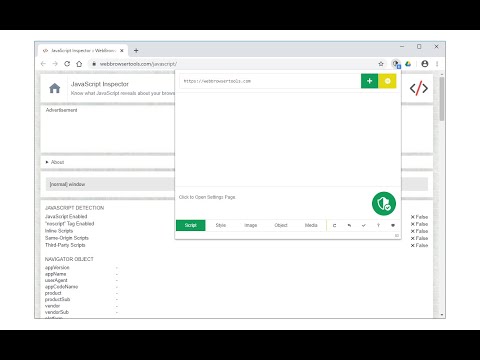
No-Script Suite Lite provides an extra security for your browser. It allows JavaScript (inline & external) to be executed only by trusted websites of your choice. Some websites are added to the white-list by default, but you can add or remove items at any time. Important features: a) Allows you to block all Scripts (inline and external) from untrusted websites (plus you can block Images, Objects, Styles and Media as well). b) Simple and very lite: this Addon does not use noticeable memory or CPU form your machine. c) You can easily switch the extension On or Off from the toolbar popup UI. d) Add or remove websites to the white-list table easily from toolbar-popup. e) Beside scripts, you can also block style-sheets, images, objects and media from untrusted sources. To activate, open toolbar-popup and click on the desired option at the bottom of the panel. f) Choose desired blocking engine, Web-Request-Observer or Content-Security-Policy from the options page. g) Add desired whitelist or blacklist rules with regular expressions. h) The extension interface (popup and options page) supports dark mode. To switch both interfaces to dark, please press the moon icon in the popup interface, bottom-right toolbar. Note: To read about all the new features or reporting bugs please visit addon's homepage (https://mybrowseraddon.com/noscript-lite.html).
3,6 van 5183 beoordelingen
Details
- Versie0.3.9
- Geüpdatet18 augustus 2025
- Aangeboden doorchYer
- Grootte144KiB
- TalenEnglish
- Ontwikkelaar
E-mail
chyer.webstore@yahoo.com - Geen handelaarDeze ontwikkelaar heeft zichzelf niet geïdentificeerd als handelaar. Voor consumenten in de Europese Unie geldt dat consumentenrechten niet van toepassing zijn op contracten tussen jou en deze ontwikkelaar.
Privacy
Deze ontwikkelaar verklaart dat je gegevens:
- Niet worden verkocht aan derden, behalve voor de goedgekeurde toepassingen
- Niet worden gebruikt of overgedragen voor doeleinden die niet zijn gerelateerd aan de kernfunctionaliteit van het item
- Niet worden gebruikt of overgedragen om de kredietwaardigheid te bepalen of voor doeleinden met betrekking tot leningen
Support
Ga naar de supportsite van de ontwikkelaar voor hulp bij vragen, suggesties of problemen