Item logo image for no ai pls

no ai pls

5.0(

1 rating

)
Item video thumbnail

Overview

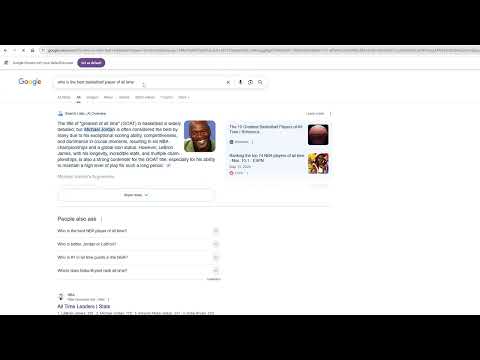
Appends "-xx" to Google search queries in order to prevent ai overview from appearing on search pages. "xx" is considered a profane…

Appends "-xx" to Google search queries in order to prevent ai overview from appearing on search pages. "xx" is considered a profane word by google so any searches including it will not include an ai overview. Instead of strictly appending "xx" to searches (which would impact search results), this plugin appends "-xx". The "-" operator removes search results including that phrase but will also prevent the AI overview from appearing.

Details

  • Version
    1.0
  • Updated
    June 11, 2025
  • Size
    4.35MiB
  • Languages
    English
  • Developer
    Email
    karimshoorbajee99@gmail.com
  • Non-trader
    This developer has not identified itself as a trader. For consumers in the European Union, please note that consumer rights do not apply to contracts between you and this developer.

Privacy

The developer has disclosed that it will not collect or use your data.

This developer declares that your data is

  • Not being sold to third parties, outside of the approved use cases
  • Not being used or transferred for purposes that are unrelated to the item's core functionality
  • Not being used or transferred to determine creditworthiness or for lending purposes

Related

Google AI Mode Remover

4.7

Removes the 'AI Mode' from Google Search results page.

No AI Google Search

2.5

Remove AI Previews in Google Search

Disable Google AI results

3.0

Appends "-ai" to Google searches to avoid AI Overviews and results.

Gemi-no: Disable AI Overviews

5.0

Google Gemini? More like Gemi-no. Disable AI Overview with udm=14 for clean search results. Simple and future-proof.

Google UDM 14 Web search mode (no AI)

3.1

Adds the &udm=14 parameter to every Google search to set 'Web' as the default search mode (without AI and other clutter)

Hide Gemini and Google AI

4.7

Hides AI-generated elements from Google properties, like search results, Google Drive, and more.

Hide Google AI Overviews

4.2

Hide annoying Google AI Overviews.

No AI Overview Block Thingy

4.0

Removes the intrusive and often blatantly incorrect "AI" Overview from standard searches.

Google Search AI Image Hider

4.1

Hides common AI image hosts from Google Image search results

Clean Search - No AI Results in Google

5.0

Chrome extension to hide Google's AI results and overview. Clean up search results, remove summaries, and browse distraction-free

Bye Bye, Google AI: Turn off Google AI Overviews, Discussions and Ads

4.4

Filter Google search results to hide AI overviews, ads, discussions or videos. You choose.

No AI Mode for Google

5.0

Removes Google AI Mode tab and AI Overview section with toggle option.

Google AI Mode Remover

4.7

Removes the 'AI Mode' from Google Search results page.

No AI Google Search

2.5

Remove AI Previews in Google Search

Disable Google AI results

3.0

Appends "-ai" to Google searches to avoid AI Overviews and results.

Gemi-no: Disable AI Overviews

5.0

Google Gemini? More like Gemi-no. Disable AI Overview with udm=14 for clean search results. Simple and future-proof.

Google UDM 14 Web search mode (no AI)

3.1

Adds the &udm=14 parameter to every Google search to set 'Web' as the default search mode (without AI and other clutter)

Hide Gemini and Google AI

4.7

Hides AI-generated elements from Google properties, like search results, Google Drive, and more.

Hide Google AI Overviews

4.2

Hide annoying Google AI Overviews.

No AI Overview Block Thingy

4.0

Removes the intrusive and often blatantly incorrect "AI" Overview from standard searches.

Google apps