

ApplyCove Session Sync
5 ratings
)
Overview
Connect your Naukri or LinkedIn account to ApplyCove without sharing your password. One-click session sync.
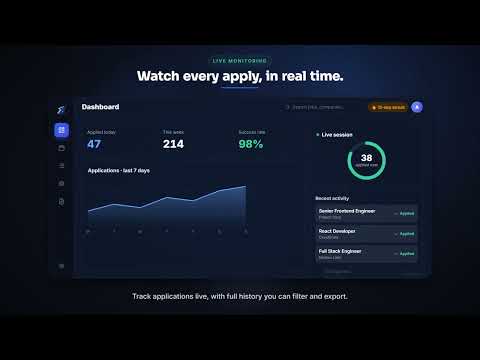
ApplyCove Assistant securely connects your job portal accounts and helps ApplyCove automate your job search. Unlike many automation tools, ApplyCove never asks for your job portal password. Simply sign in to supported websites such as Naukri or LinkedIn using your preferred method—Google, email/password, OTP, or two-factor authentication—and click Sync. The extension securely reads your existing browser session and transfers the required session data to your ApplyCove account in encrypted form. Your password is never shared with ApplyCove. For supported Applicant Tracking Systems (ATS) such as Workday, Greenhouse, Lever, and Ashby, ApplyCove Assistant can also securely autofill and submit job applications directly from your browser. Since the application runs locally on your device, it works with modern authentication methods and supports sites that require browser-based interaction. Features • Secure account connection without sharing passwords • One-click session sync for supported job portals • Browser-based autofill and application submission for supported ATS platforms • Supports Google Sign-In, OTP, SSO, and two-factor authentication • End-to-end encrypted session transfer to your ApplyCove account • Works alongside your ApplyCove dashboard to automate your job search ApplyCove Assistant is required for certain ApplyCove automation features and only operates after you explicitly authorize it.
4 out of 55 ratings
Details
- Version2.5.0
- UpdatedJuly 26, 2026
- Offered byvivek chaturvedi
- Size197KiB
- LanguagesEnglish
- Developer
Email
support@applycove.com - Non-traderThis developer has not identified itself as a trader. For consumers in the European Union, please note that consumer rights do not apply to contracts between you and this developer.
Privacy

ApplyCove Session Sync has disclosed the following information regarding the collection and usage of your data. More detailed information can be found in the developer's privacy policy.
ApplyCove Session Sync handles the following:
This developer declares that your data is
- Not being sold to third parties, outside of the approved use cases
- Not being used or transferred for purposes that are unrelated to the item's core functionality
- Not being used or transferred to determine creditworthiness or for lending purposes
Support
For help with questions, suggestions, or problems, visit the developer's support site