

DraftGuard: Form Saver, Crash Recovery & AI Answers in Your Voice
49 ratings
)
Overview
Auto-saves everything you type into web forms. Recover lost work, reuse answers across applications, draft new ones in your voice.
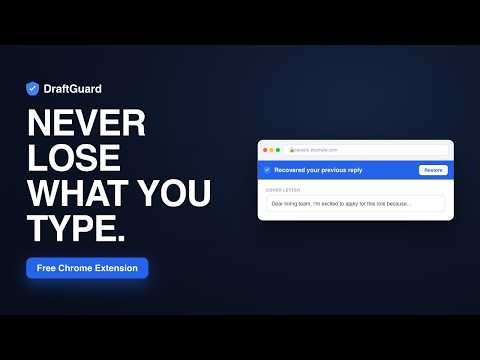
You're three paragraphs into an application essay and the page crashes. 💥 The portal times out. The back button eats the draft. Or it's your tenth job form this week and you're retyping the same answers you already wrote perfectly the first time. 😤 DraftGuard fixes all of it. It quietly saves everything you type, brings it back the instant something goes wrong, reuses your best answers across every form, and (if you want) drafts brand-new answers in your own writing voice. All of it private. All of it encrypted on your device. 🔒 ━━━━━━━━━━━━━━━━━━━━━━━━ 🔵 RECOVER — protects your long-form work before it disappears Most writing tools fail at the exact moment you've invested the most. DraftGuard saves what you type every few seconds, so when the page crashes, times out, freezes, or you close the tab by accident, a recovery bar brings your work back in ONE click. 🖱️ 🕑 It even keeps a full version history, so you can roll back to an earlier draft, not just the last thing on screen. ✅ 100% local · always on · zero setup ━━━━━━━━━━━━━━━━━━━━━━━━ 📋 REUSE — your best answers, everywhere Write a great cover letter or application answer once. On the next form, DraftGuard recognizes the same kind of field and offers to fill it from your saved answers. 🎯 🔁 It matches even when the wording is different, like "First Name" vs "Given Name." ⚡ Fill out a form you'll see again? Save it once and refill the whole thing on the next site with a single click. 👤 Your name, email, phone, and address autofill from a profile YOU control. ━━━━━━━━━━━━━━━━━━━━━━━━ ✨ DRAFT FROM MY VOICE — optional AI Turn on Voice AI and DraftGuard learns how you write, plus the facts you choose to give it (your Fact Vault). On any question, click once and get a first draft that actually sounds like YOU. 🗣️ 🧠 Uses only YOUR real facts 🚫 Never invents awards, numbers, employers, or dates 📝 Leaves anything it doesn't know as a clearly marked fill-in blank 👀 You preview every word before it goes in, and nothing is ever auto-submitted ♻️ You can also polish an answer you already saved to fit a new question ━━━━━━━━━━━━━━━━━━━━━━━━ 🔒 ENCRYPTED, PRIVATE, YOURS Everything DraftGuard stores is encrypted at rest with AES-256 on your device: your recovered drafts, saved answers, profile, and Fact Vault. 🙅 No account, no sign-up, no third-party trackers 🛡️ Passwords, payment cards, CVV, SSN, and one-time login codes are NEVER captured, filled, or sent to AI. Ever. 📴 Recovery and reuse work with ZERO network connection 🎚️ AI is completely optional and off until you turn it on yourself ━━━━━━━━━━━━━━━━━━━━━━━━ 🌐 WORKS ON ANY FORM Job application portals, college and scholarship applications, internship forms, RFPs, contact pages, and long text boxes anywhere on the web. If a website has a form, DraftGuard protects it. ━━━━━━━━━━━━━━━━━━━━━━━━ 💸 FREE, WITH AN OPTIONAL UPGRADE ✅ Free forever → recovery, version history, answer reuse, one-click refill, autofill, and the Fact Vault 🎁 Voice AI drafting → free trial, no card required ⭐ Love it? A one-time Pro upgrade unlocks unlimited drafting. No subscription. ━━━━━━━━━━━━━━━━━━━━━━━━ 🔧 THE MODERN REPLACEMENT Used one of the classic form-recovery extensions years ago and watched it go unmaintained? This is its modern successor: built for Manifest V3, encrypted at rest, actively maintained, and extended with answer reuse, version history, and optional AI drafting. ━━━━━━━━━━━━━━━━━━━━━━━━ 💙 WHY PEOPLE PICK DRAFTGUARD 🏠 Local by default → recovery, autofill, and saved answers never leave your device 🔐 Private by design → everything encrypted (AES-256), no trackers, secure fields never touched 🎛️ Your facts, your control → see everything it knows, switch any fact off 🤝 Honest AI → writes in your voice from your real facts, invents nothing, never auto-submits 🆓 Free to start → recovery and reuse free forever, drafting has a free trial ━━━━━━━━━━━━━━━━━━━━━━━━ 🎓 PERFECT FOR College and grad-school applications, scholarship essays, internship and job applications, RFPs, and anyone tired of portals eating their work. ━━━━━━━━━━━━━━━━━━━━━━━━ 🚀 HOW IT WORKS 1️⃣ Install it. Recovery starts protecting your forms right away, no setup. 2️⃣ Lose something? Click Restore on the blue bar, or open version history to pick an earlier draft. 3️⃣ (Optional) Set up Voice AI in about two minutes. Paste an essay or take the mini-interview. 4️⃣ On any question, hit ✨ Draft from my voice, preview, and insert. ━━━━━━━━━━━━━━━━━━━━━━━━ 🔎 PRIVACY, PLAINLY Everything is stored locally in your browser and encrypted at rest with AES-256. The only time any data leaves your device is when YOU click an AI action. At that point the form's question and relevant on-page context (never passwords, payment, SSN, or one-time codes) goes to DraftGuard's own server to generate that one draft, then it's discarded. Never stored, never sold, never used for tracking. 📄 Full policy: https://draftguardapp.com/privacy ━━━━━━━━━━━━━━━━━━━━━━━━ 🆕 WHAT'S NEW 🔹 2.1.10 → Version history for recovered work + one-click refill 🔹 2.1.9 → Everything encrypted at rest (AES-256) 🔹 2.1.8 → Instant feature & settings updates, no waiting on the store 🔹 2.1.7 → One-time Pro upgrade for unlimited AI drafting 🔹 2.1.1 → Redesigned Fact Vault with highlights, search & filters 🔹 2.1.0 → Continuous opt-in learning + smarter on-page assistant 🔹 2.0.2 → Cleaner, tucked-away assistant that never covers your typing 🔹 2.0.1 → Instant first draft during setup 🔹 2.0 → Draft from my voice, Fact Vault, saved-answer reuse & dark mode
5 out of 549 ratings
Details
- Version2.1.12
- UpdatedAugust 3, 2026
- Offered bymatthewjiampietro0753
- Size2.48MiB
- LanguagesEnglish
- Developer
Email
matthewjiampietro0753@gmail.com - Non-traderThis developer has not identified itself as a trader. For consumers in the European Union, please note that consumer rights do not apply to contracts between you and this developer.
Privacy

DraftGuard: Form Saver, Crash Recovery & AI Answers in Your Voice has disclosed the following information regarding the collection and usage of your data. More detailed information can be found in the developer's privacy policy.
DraftGuard: Form Saver, Crash Recovery & AI Answers in Your Voice handles the following:
This developer declares that your data is
- Not being sold to third parties, outside of the approved use cases
- Not being used or transferred for purposes that are unrelated to the item's core functionality
- Not being used or transferred to determine creditworthiness or for lending purposes
Support
For help with questions, suggestions, or problems, please open this page on your desktop browser