Item logo image for Nitrax Mathematical Keyboard

Nitrax Mathematical Keyboard

mathematicalkeyboard.com
Item media 2 (screenshot) for Nitrax Mathematical Keyboard
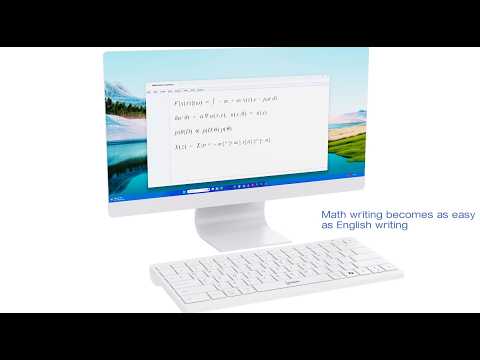
Item video thumbnail
Item media 2 (screenshot) for Nitrax Mathematical Keyboard
Item video thumbnail
Item media 2 (screenshot) for Nitrax Mathematical Keyboard

Overview

Type Nitrax Mathematical Keyboard symbols in editable fields with the physical blue and gray layers.

Nitrax Mathematical Keyboard brings the Nitrax math input workflow to Chrome. Use familiar keyboard shortcuts to insert mathematical, Greek, and scientific symbols directly into compatible editable fields—without searching symbol menus, copying characters, or typing long commands. HOW IT WORKS Windows, Linux, and ChromeOS: • Blue layer: Ctrl + Alt + key • Gray layer: Ctrl + Alt + Shift + key macOS: • Blue layer: Control + Option + key • Gray layer: Control + Option + Shift + key OPEN THE EXTENSION TO: • Enable or disable the keyboard shortcuts • View the Nitrax Mathematical Keyboard layout • Search for a symbol by name • See the exact shortcut for Windows or macOS • Learn more about the physical Nitrax Mathematical Keyboard COMPATIBILITY The extension works in standard text inputs, text areas, contenteditable fields, and many browser-based editors. Some websites use custom text-rendering systems, so compatibility may vary. Google Docs and the Chrome address bar are not supported by the extension alone. For broader compatibility with supported desktop applications, use the physical Nitrax Mathematical Keyboard with its companion software. PRIVACY Nitrax Mathematical Keyboard processes shortcut events locally in your browser. The extension: • Does not collect personal data • Does not track browsing activity • Does not store or transmit typed content • Does not read or modify your clipboard • Does not use analytics or advertising trackers Discover the physical Nitrax Mathematical Keyboard and the complete Nitrax ecosystem at mathematicalkeyboard.com.

Details

  • Version
    1.0.0
  • Updated
    June 27, 2026
  • Size
    207KiB
  • Languages
    English
  • Developer
    Rony Sitbon
    Klausner Street 10 Ra'anana 4336705 IL
    Website
    Email
    contact@mathematicalkeyboard.com
    Phone
    +972 54-305-8199
  • Trader
    This developer has identified itself as a trader per the definition from the European Union and committed to only offer products or services that comply with EU laws.

Privacy

Manage extensions and learn how they're being used in your organization
The developer has disclosed that it will not collect or use your data. To learn more, see the developer’s privacy policy.

This developer declares that your data is

  • Not being sold to third parties, outside of the approved use cases
  • Not being used or transferred for purposes that are unrelated to the item's core functionality
  • Not being used or transferred to determine creditworthiness or for lending purposes

Support

For help with questions, suggestions, or problems, visit the developer's support site

Related

Symbol Typer - Write Math and Symbols Easily

5.0

Write special symbols in plain text and paste them anywhere!

Equation Editor

4.9

Use Equation Editor to easily type mathematical formulas and convert LaTeX to PNG online with our LaTeX math equation writer.

ClipTeX: Math for Google Docs & More

0.0

Beautiful LaTeX math for online text editors. Uses a zero-permission clipboard design to eliminate the need for IT approvals.

Notion Equation Converter

2.3

Convert LaTeX equations to native Notion math blocks. Supports \[ \], $$, \( \), $ delimiters, auto-convert & keyboard shortcut.

Smart Paste Typing

0.0

Paste clipboard text into editable fields by simulating human typing.

Alternative greek keyboard layouts

3.2

Adds monotonic Dvorak, polytonic and polytonic Dvorak keyboard layouts for ChromeOS.

Formula to LaTeX: Convert Images to Code

4.7

Convert any formula from images or screenshots into LaTeX code instantly, we supports math, physics, chemistry, and more.

EquaPaste

0.0

Copy math from ChatGPT, Claude & more — paste it as an editable Word, Notion or Obsidian equation. 100% local.

MathPaster - Math Keyboard for Any AI Chatbot

5.0

Write equations visually and paste LaTeX into any AI chatbot, including ChatGPT, Claude, and Gemini.

Math Symbol Helper

0.0

Replaces typed math shortcuts with symbols in editable fields for classroom math entry.

Scientific Calculator - Loruv

5.0

A professional, modern, and dark-themed scientific calculator. Switch between normal and scientific modes seamlessly.

Gemini MathJaxify

5.0

Render LaTeX math with MathJax on Gemini, ChatGPT, and NotebookLM. Auto-rendering, export to HTML/Markdown/CSV, and message pinning.

Symbol Typer - Write Math and Symbols Easily

5.0

Write special symbols in plain text and paste them anywhere!

Equation Editor

4.9

Use Equation Editor to easily type mathematical formulas and convert LaTeX to PNG online with our LaTeX math equation writer.

ClipTeX: Math for Google Docs & More

0.0

Beautiful LaTeX math for online text editors. Uses a zero-permission clipboard design to eliminate the need for IT approvals.

Notion Equation Converter

2.3

Convert LaTeX equations to native Notion math blocks. Supports \[ \], $$, \( \), $ delimiters, auto-convert & keyboard shortcut.

Smart Paste Typing

0.0

Paste clipboard text into editable fields by simulating human typing.

Alternative greek keyboard layouts

3.2

Adds monotonic Dvorak, polytonic and polytonic Dvorak keyboard layouts for ChromeOS.

Formula to LaTeX: Convert Images to Code

4.7

Convert any formula from images or screenshots into LaTeX code instantly, we supports math, physics, chemistry, and more.

EquaPaste

0.0

Copy math from ChatGPT, Claude & more — paste it as an editable Word, Notion or Obsidian equation. 100% local.

Google apps