


Descripción general
Ninja VPN, a VPN extension for Google Chrome. Access any restricted website and remain anonymous using our proxy service
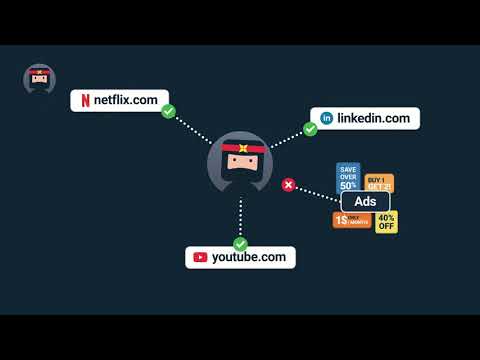
Nowadays, numerous websites and online services are blocked on various grounds: The reasons for these blocks may be different: In some cases, copyright infringement may be the culprit; in others, they’re resulted by government censorship. However, regular people like us suffer from these blocks: We lose access to our favorite sources of productivity or entertainment. In most cases, our IP addresses are used as special markers that determine our location and prevent access to the restricted website. Thankfully, circumventing these restrictions is relatively easy: We simply need to hide our IP address and trick the system into thinking that we’re accessing the website from another country. Although this may sound complicated, Ninja VPN does all of this with a single click! Installing Ninja VPN is easy: Find the extension in Chrome Web Store and click the “Install” button. The extension will be ready for use in just a minute. Ninja VPN is a Chrome extension designed to enhance your online security and anonymity. Upon installing Ninja VPN, you’ll gain the ability to access any blocked website or online platform. Here’s how the extension works: Your IP address contains all kinds of data that characterize you as a unique person on the web: Among other things, it marks your approximate geolocation (i.e. country and city.) Ninja VPN masks your real IP address and assigns you a “cover identity”. When surfing the web with Ninja VPN, you appear to be browsing from a different location — one where the websites aren’t restricted. Ninja VPN is free: It doesn’t limit its functionality for non-paying users or lock its most useful features behind a paywall. Moreover, it doesn’t force you to watch ads — instead, it provides more open internet and safeguards your privacy. Last but not least, your browsing experience will be significantly improved because your data will be more secure, too: Ninja VPN encrypts the data you send over the internet and makes it impossible for malicious third parties to intercept it. Without a VPN service like Ninja VPN, you’re constantly running the risk of getting your data stolen, which is particularly likely to happen when you’re using a public Wi-Fi network — an airport Wi-Fi hotspot, for instance. With access to your data, hackers can use your sensitive information like credit card details or passwords to commit identity fraud. Other companies provide alternative VPN clients: If you want to combine Ninja with another VPN, here are some clients you can try: iNinja VPN, ProtonVPN, or Mullvad VPN.
3,5 de 584 valoraciones
Detalles
- Versión1.0.9
- Actualizado7 de diciembre de 2021
- Ofrecido porninjavpn.io
- Tamaño4.88MiB
- Idiomas3 idiomas
- DesarrolladorNinjaVPN
Padriku tee 12/3-4 Tallinn 11912 EstoniaCorreo electrónico
info@ninjavpn.io - No operadorEste desarrollador no se ha identificado como operador. Los consumidores residentes en la Unión Europea deben tener en cuenta que los derechos de los consumidores no son aplicables a los contratos que suscriban con este desarrollador.
Privacidad

Este desarrollador declara que tus datos:
- No se venden a terceros, excepto en los casos de uso aprobados
- No se usan ni se transfieren para fines no relacionados con la función principal del elemento.
- No se usan ni se transfieren para determinar la situación crediticia ni para ofrecer préstamos.
Ayuda
Si tienes alguna pregunta, sugerencia o problema, visita el sitio de asistencia del desarrollador.