

Ninja Biba

Overview
Privacy-first password manager. Encrypt on your device, sync ciphertext only, and autofill only after you choose an account.
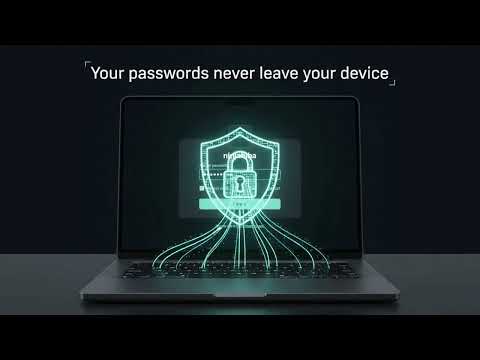
NinjaBiba is a privacy-first password manager. Your vault is encrypted on your device with Argon2id and AES-256-GCM. The server stores ciphertext only. Your master password and vault encryption keys are derived in the browser and are never sent to ninjabiba.com. What the extension does • Unlock your encrypted vault in the popup • Detect login forms on websites (field kinds and hostname only — not the password you type) • Fill a matching login only after you choose an account. It does not inject passwords on page load • Offer to save a username and password when you submit a login or change-password form • Sync the encrypted vault with your ninjabiba.com account • Auto-lock after inactivity. You choose 5 minutes, 15 minutes, 30 minutes, 1 hour, 90 days, or never Use it with the web vault Create an account and manage logins at https://ninjabiba.com • Add, edit, delete, favorite, and folder your logins • Search title, username, URL, notes, and folder • Generate strong passwords (8–64 characters) with Web Crypto. Generated values are not stored until you save a login • Review a local security score for weak, reused, and old passwords. Score data stays on your device • Turn on authenticator (TOTP) MFA for your account on the web app How privacy works • Account email and a hashed account password for sign-in • An encrypted vault blob on the server — no plaintext site passwords • Optional authenticator secrets, encrypted at rest • No ads, no advertising SDKs, no sale of your data • Privacy policy (no sign-in required): https://ninjabiba.com/privacy Get started 1. Create an account at https://ninjabiba.com 2. Set a master password and unlock the vault 3. Add logins in the web vault, or save them when a site form is submitted 4. Open the extension, unlock, and choose an account to fill Current limits • Save prompts appear on HTML form submit. Sites that sign in with fetch or XHR and no form submit may not show a save prompt • If your account uses authenticator MFA, finish sign-in on ninjabiba.com first, then unlock the extension • The popup is for unlock, fill, lock, and sign-out. Full vault editing and the password generator are on the web app • Locking the web app does not lock the extension, and the reverse is also true
0 out of 5No ratings
Details
- Version0.2.0
- UpdatedOctober 8, 2026
- Size44.85KiB
- LanguagesEnglish
- Developer
Email
katring7746@gmail.com - Non-traderThis developer has not identified itself as a trader. For consumers in the European Union, please note that consumer rights do not apply to contracts between you and this developer.
Privacy

Ninja Biba has disclosed the following information regarding the collection and usage of your data. More detailed information can be found in the developer's privacy policy.
Ninja Biba handles the following:
This developer declares that your data is
- Not being sold to third parties, outside of the approved use cases
- Not being used or transferred for purposes that are unrelated to the item's core functionality
- Not being used or transferred to determine creditworthiness or for lending purposes