

NilMode
14 ratings
)
Overview
Block Facebook, YouTube and stay focused
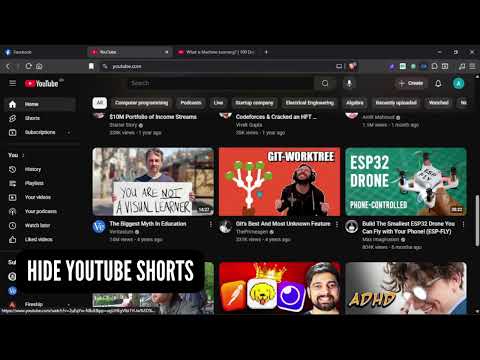
NilMode — Stay focused. Block the noise. A lightweight distraction blocker for Facebook and YouTube that gives you surgical control over what you see. No accounts, no tracking, no data ever leaves your browser. ───────────────────────────────────── 🔵 FACEBOOK ───────────────────────────────────── • Block the entire site, or selectively hide only what distracts you • Hide Feed, Stories, Reels, and the Right Sidebar independently • Productive Mode: adds a personal blacklist — hide posts from specific people, pages, or groups you don't want to see • Reel Intercept: redirects /reel/ pages to a focus reminder screen instead of letting you spiral ───────────────────────────────────── 🔴 YOUTUBE ───────────────────────────────────── • Block the entire site, or hide individual distractions: ↳ Home feed recommendations ↳ Shorts row ↳ Comments section ↳ "Up Next" sidebar suggestions • Feed Redirect: when the home feed is hidden, instantly redirect to Subscriptions or Watch Later instead ───────────────────────────────────── 🎓 YOUTUBE COURSE MODE (optional) ───────────────────────────────────── Save any playlist as a "Course" and get: ✓ Per-video completion checkboxes ✓ Live progress bar with percentage ✓ Total video count & total watch time ✓ Time completed vs. time remaining ✓ Completed playlists section (collapsible) ✓ One-click Sync Stats or Remove Works both on the playlist page and inside the video player. ───────────────────────────────────── ⏸ PAUSE MODE ───────────────────────────────────── Need a short break? Pause all blocking for a chosen number of minutes. Everything restores instantly — no page reload needed. A live countdown appears in the popup so you always know how much time is left. ───────────────────────────────────── 🔒 PRIVACY ───────────────────────────────────── • Zero data sent anywhere — ever • All settings, playlists, and progress stay inside your browser • Remove the extension anytime to erase everything ───────────────────────────────────── ⚡ LIGHTWEIGHT & FAST ───────────────────────────────────── No background services phoning home. No analytics. Pure content-script filtering that runs only when you're on Facebook or YouTube. Built for people who use these sites on purpose — not by accident.
5 out of 514 ratings
Details
- Version2.3.0
- UpdatedAugust 27, 2026
- Offered byAsif Hossain
- Size56.58KiB
- LanguagesEnglish
- Developer
Email
asif.d3v@gmail.com - Non-traderThis developer has not identified itself as a trader. For consumers in the European Union, please note that consumer rights do not apply to contracts between you and this developer.
Privacy

This developer declares that your data is
- Not being sold to third parties, outside of the approved use cases
- Not being used or transferred for purposes that are unrelated to the item's core functionality
- Not being used or transferred to determine creditworthiness or for lending purposes
Support
For help with questions, suggestions, or problems, please open this page on your desktop browser