


Overview
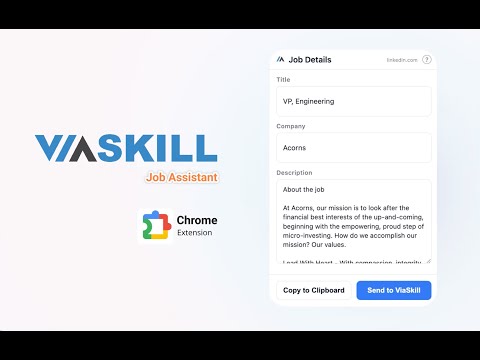
Instantly capture job details from major job boards and send them directly to your ViaSkill dashboard.
Your Personal Job Application Assistant Stop wasting time copying and pasting job details. The ViaSkill Job Assistant pulls job postings straight from the page you're already viewing on major job boards and career platforms. It instantly drops the title, company, and description right into the ViaSkill resume builder, ready to tailor. 🚀 Key Benefits ✅ One-click capture → Title, company, and full description in a single action ✅ Works across major job boards → No more retyping the same fields multiple times a day ✅ Hours back in your week → Skip the copy-paste loop entirely ✅ Pixel-accurate import → Every detail lands exactly as posted ✅ Apply faster → Spend your time on tailoring, not data entry 🛠 How It Works 🔹 Add the ViaSkill Job Assistant to Chrome 🔹 Open a supported job listing 🔹 Click the ViaSkill icon in your toolbar 🔹 The resume builder opens with the job already filled in — tailor and submit 🌟 Who It's For 🚀 Job seekers running dozens of applications per week 🎓 Students and career changers juggling multiple roles 💼 Professionals who want their workflow to keep up with the search 👉 Install the ViaSkill Job Assistant today and turn every job posting into a tailored resume in under a minute.
0 out of 5No ratings
Details
- Version1.7.3
- UpdatedJune 27, 2026
- Size25.74KiB
- LanguagesEnglish (United States)
- DeveloperGrace CupatWebsite
4620 Park Drive Carlsbad, CA 92008 USEmail
grace.cupat@viaskill.comPhone
+1 760-458-2702 - TraderThis developer has identified itself as a trader per the definition from the European Union and committed to only offer products or services that comply with EU laws.
Privacy

ViaSkill Job Assistant has disclosed the following information regarding the collection and usage of your data. More detailed information can be found in the developer's privacy policy.
ViaSkill Job Assistant handles the following:
This developer declares that your data is
- Not being sold to third parties, outside of the approved use cases
- Not being used or transferred for purposes that are unrelated to the item's core functionality
- Not being used or transferred to determine creditworthiness or for lending purposes
Support
For help with questions, suggestions, or problems, visit the developer's support site