

Nifty: Tasks, Chat, Docs, Time

Présentation
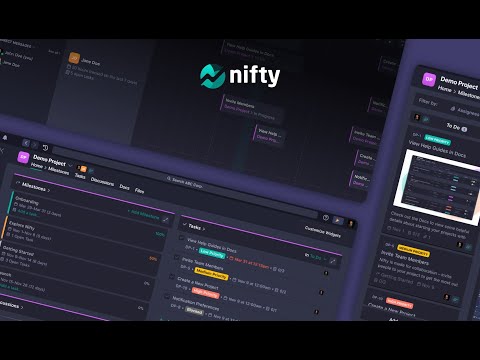
Nifty is a new wave productivity app to manage tasks, track time, collaborate on docs, and chat with your team -- all in one place.
Nifty's revolutionary Chrome Extension will help you do better work using fewer tools, by replacing five apps with one. Close the gap between the planning and action phases of your work with the #1 easiest to use workflow management app ranked by G2 & Gartner. 🔥 With this extension, you can: • Create personal and project tasks • Track time on new and existing tasks • Create personal notes and jot down ideas • Chat in real-time with your team • Share files with your teammates Nifty is free forever with 100MB of storage space, unlimited tasks, and users. Installing the Chrome Extension: 1. Click Add to Chrome 2. Click Add extension in the next popup 3. Click the Nifty extension icon at the top of your browser window. 4. Log in to your Nifty Account 5. Select the Workspace(s) that should have access To hide the draggable floating icon, you can go to settings and toggle off the floating button. To move the floating icon around, you can simply drag it across the browser and the placement will be saved based on the website you're on. Be sure to visit the website to learn more about how Nifty can change the way you work.
5 sur 57 avis
Détails
- Version1.3
- Dernière mise à jour24 mai 2022
- Taille4.02MiB
- LanguesEnglish
- DéveloppeurNifty Technologies, Inc.Site Web
315 W 36th St New York, NY 10018 United StatesE-mail
team@niftypm.com - Non-professionnelCe développeur ne s'est pas identifié comme professionnel. Pour les consommateurs de l'Union européenne, veuillez noter qu'il est possible que les droits des consommateurs ne s'appliquent pas aux contrats entre vous et ce développeur.
Confidentialité
Ce développeur déclare que vos données :
- Ne seront pas vendues à des tiers en dehors des cas d'utilisation approuvés.
- Ne seront ni utilisées ni transférées à des fins sans rapport avec la fonctionnalité de base de l'article.
- Ne seront ni utilisées ni transférées pour déterminer votre solvabilité ou en vue de vous proposer un prêt.
Assistance
Pour obtenir de l'aide concernant des questions, des suggestions ou des problèmes, veuillez ouvrir cette page dans votre navigateur pour ordinateur