

Nifty: Tasks, Chat, Docs, Time

Yleiskatsaus
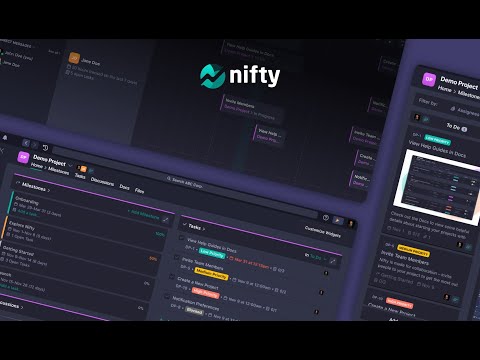
Nifty is a new wave productivity app to manage tasks, track time, collaborate on docs, and chat with your team -- all in one place.
Nifty's revolutionary Chrome Extension will help you do better work using fewer tools, by replacing five apps with one. Close the gap between the planning and action phases of your work with the #1 easiest to use workflow management app ranked by G2 & Gartner. 🔥 With this extension, you can: • Create personal and project tasks • Track time on new and existing tasks • Create personal notes and jot down ideas • Chat in real-time with your team • Share files with your teammates Nifty is free forever with 100MB of storage space, unlimited tasks, and users. Installing the Chrome Extension: 1. Click Add to Chrome 2. Click Add extension in the next popup 3. Click the Nifty extension icon at the top of your browser window. 4. Log in to your Nifty Account 5. Select the Workspace(s) that should have access To hide the draggable floating icon, you can go to settings and toggle off the floating button. To move the floating icon around, you can simply drag it across the browser and the placement will be saved based on the website you're on. Be sure to visit the website to learn more about how Nifty can change the way you work.
5/57 arvostelua
Tiedot
- Versio1.3
- Päivitetty24. toukokuuta 2022
- Koko4.02MiB
- KieletEnglish
- KehittäjäNifty Technologies, Inc.Sivusto
315 W 36th St New York, NY 10018 United StatesSähköposti
team@niftypm.com - Muu kuin elinkeinonharjoittajaKehittäjä ei ole tunnistautunut elinkeinonharjoittajaksi. Huomioitavaa kuluttajille Euroopan Unionin alueella: Kuluttajan oikeudet eivät päde sinun ja kehittäjän välisiin sopimuksiin.
Tietosuoja
Kehittäjän mukaan datasi on
- ei myydä kolmansille osapuolille muissa kuin hyväksytyissä käyttötapauksissa
- ei käytetä tai siirretä syystä, joka ei liity tuotteen ydintoimintoihin
- ei käytetä tai siirretä luottokelpoisuuden toteamiseksi tai lainoja varten.
Tuki
Jos sinulla on kysymyksiä, ehdotuksia tai ongelmia, avaa tämä sivu tietokoneen selaimella