

ViewLink
1 rating
)
Overview
Place MT5 trades from your TradingView chart Instantly
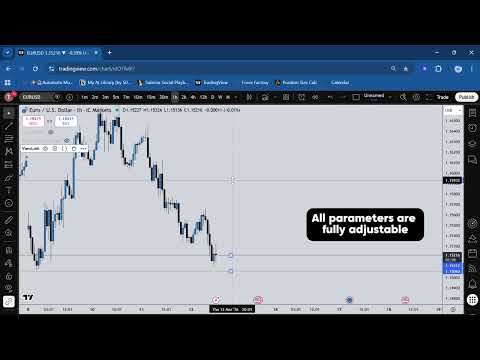
ViewLink bridges your TradingView chart to MetaTrader 5, no tab-switching, no copy-pasting prices, no missed entries. When you spot a setup, your ViewLink Pine Script indicator already has the entry, stop loss, take profit, and order type calculated. Click the ViewLink icon in your toolbar, confirm the trade preview, and hit Execute. The order is placed on MT5 in under a second. HOW IT WORKS - Attach the ViewLink Pine Script indicator to any TradingView chart - The extension reads your indicator values directly from the Data Window - Click Execute, the signal is sent to your MT5 account via the ViewLink bridge - No automation. No signal generation. You decide every trade. REQUIREMENTS - A ViewLink subscription (viewlink.dev) - MetaTrader 5 with the ViewLink EA installed (provided in your dashboard) - TradingView (free or paid — both work) ViewLink is execution infrastructure. You set your own alerts, your own rules, your own risk. ViewLink just removes the friction of switching platforms to place the order.
5 out of 51 rating
Details
- Version0.3.0
- UpdatedOctober 22, 2026
- Size66.69KiB
- LanguagesEnglish
- Developer
Email
theo@viewlink.dev - Non-traderThis developer has not identified itself as a trader. For consumers in the European Union, please note that consumer rights do not apply to contracts between you and this developer.
Privacy

ViewLink has disclosed the following information regarding the collection and usage of your data. More detailed information can be found in the developer's privacy policy.
ViewLink handles the following:
This developer declares that your data is
- Not being sold to third parties, outside of the approved use cases
- Not being used or transferred for purposes that are unrelated to the item's core functionality
- Not being used or transferred to determine creditworthiness or for lending purposes