


Overview
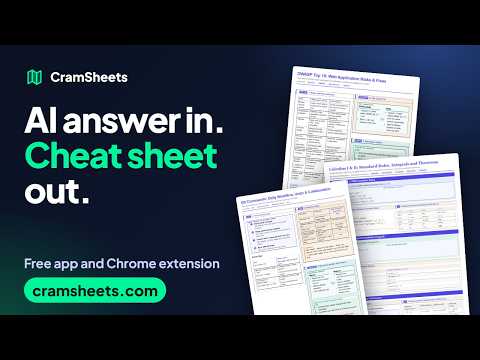
Turn an AI reply, a video transcript, a thread, an article or several tabs into one print-ready cheat sheet on cramsheets.com.
CramSheets turns what you read into dense, print-ready cheat sheets. Read a good answer from ChatGPT, Claude or Gemini? Click the CramSheet button on the page (or press Alt+Shift+C) and the reply opens as a laid-out sheet on cramsheets.com, ready to print, save as a PDF, or export as images. New in this version • Several tabs, one sheet: researching across many tabs? Click "Add this page" on each one (the toolbar badge counts them), then "Send" to get one sheet with a section per page. "Add all tabs" gathers every tab in the window at once. • One CramSheets tab: everything you send goes to the cramsheets.com tab you already have open, instead of opening a new tab each time. • Cleaner transcripts: video captions are split into paragraphs where sentences end and speakers change, and sound cues ([Music], [Applause]), fillers ("um", "uh") and stutters ("the the") are taken out. • Smarter page reading: on news and finance sites the extension finds the article itself, not the "related stories" cards around it. • A smaller, tidier popup. Videos, threads and articles CramSheets recognises many popular sites and reads just the content, without menus, ads or clutter: • Video transcripts: split into sections by the video's chapters, with timestamps that link back to the moment. One click then turns a long transcript into a cheat sheet of its key points with the AI Studio. • Discussion threads and Q&A pages: the post and its replies in order, nested, with the accepted answer marked and one-line replies like "agreed" left out. • Articles and blog posts, with pictures when you turn them on. • Talks, lectures and podcasts that carry a transcript: timestamps and speakers are kept. If a page is not recognised, it is read as an ordinary page. Ways to use it • Select some text, right-click, and choose "Make a CramSheet from selection". • Right-click a page and choose "Make a CramSheet from this page". • Open the toolbar popup to send the last AI reply, your selection, the whole page, a collection of pages, or text you paste. • Choose "Write a CramSheet with AI" (or press Alt+Shift+S) to send a page, a selection or a whole collection to the AI Studio, which writes a cheat sheet from it. You choose the layout: Smart Grid packs cards into tiles, Magazine flows text down columns, Ultra Eco goes dense and ink-light. Headings, lists, tables, code blocks and maths are kept, and sheets print in one calm colour unless you ask for more. Private by design • The extension reads a page only when you click it, press its shortcut, or use its right-click item. • Your text goes straight from your browser to your cramsheets.com tab. The extension has no server and sends nothing anywhere else. • Pages you collect stay on your device until you send or clear them. • Reading all your tabs needs extra access, which the extension asks for only when you click "Add all tabs", never at install. • No account, tracking or ads in the extension. CramSheets is free to use. Learn more at https://cramsheets.com. ChatGPT, Claude and Gemini are trademarks of their owners. This extension is not affiliated with or endorsed by them.
0 out of 5No ratings
Details
- Version0.5.2
- UpdatedOctober 24, 2026
- Size56.35KiB
- LanguagesEnglish
- DeveloperWebsite
Email
meet.me.other.side@gmail.com - Non-traderThis developer has not identified itself as a trader. For consumers in the European Union, please note that consumer rights do not apply to contracts between you and this developer.
Privacy

CramSheets: AI answer to cheat sheet has disclosed the following information regarding the collection and usage of your data. More detailed information can be found in the developer's privacy policy.
CramSheets: AI answer to cheat sheet handles the following:
This developer declares that your data is
- Not being sold to third parties, outside of the approved use cases
- Not being used or transferred for purposes that are unrelated to the item's core functionality
- Not being used or transferred to determine creditworthiness or for lending purposes
Support
For help with questions, suggestions, or problems, visit the developer's support site