

Paste File
5 ratings
)
Overview
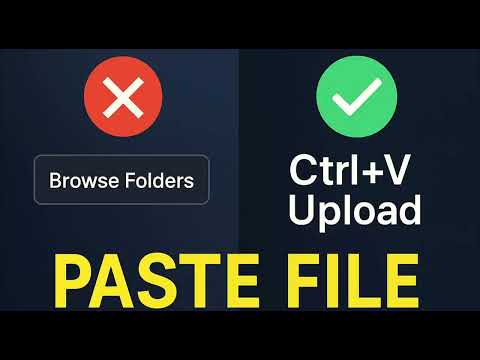
Paste files and screenshots into supported upload fields with Ctrl+V or Cmd+V. Includes image cropping and format conversion.
Paste File lets you paste copied files and screenshots into supported website upload fields using Ctrl+V on Windows/Linux or Cmd+V on Mac. How to use: 1. Copy a file in your file manager, or copy a screenshot. 2. Focus a supported file field or move the pointer over its upload area. 3. Press Ctrl+V or Cmd+V, then check the website's filename or file queue. 4. Follow the website's remaining upload steps. When the extension handles a single supported image, you can crop it, adjust quality, change format, apply the edit, or skip editing. Multiple files are supported when the receiving field allows them. File type restrictions are checked against the field's accept setting; websites still perform their own validation. Compatibility: automatic delivery supports native file fields, a single native label associated with a file field, and verified Dropzone or Element Plus receivers. Websites with native paste may handle files themselves. Custom buttons, shared inputs with an unclear destination, directory pickers, and File System Access-only controls may require the website's original file picker. Browser settings and extension store pages are restricted. This extension does not promise support for every website or upload control. The interface supports English and Simplified Chinese. Other browser languages use English. Privacy: files are obtained from user-initiated paste events. The extension does not poll the clipboard or send files to its own server. Image edits run locally; the receiving website controls any subsequent upload. Settings, language preference, and usage counts use browser extension storage. Website access lets the extension detect upload fields and handle paste in pages and frames. Extension styles are contained in Shadow DOM. What's new in 1.2.0: - Safer input targeting without replaying page buttons. - Checks for changed or replaced upload destinations before delivery. - Native paste ownership handling to avoid duplicate processing. - Isolated styles that preserve the website's appearance. - English fallback, clearer compatibility guidance, and no clipboardRead permission.
3.2 out of 55 ratings
Details
- Version1.2.0
- UpdatedNovember 1, 2026
- Offered byHeftyKoo
- Size263KiB
- LanguagesEnglish
- Developer
Email
yeyuqiudeng@gmail.com - Non-traderThis developer has not identified itself as a trader. For consumers in the European Union, please note that consumer rights do not apply to contracts between you and this developer.
Privacy

Paste File has disclosed the following information regarding the collection and usage of your data. More detailed information can be found in the developer's privacy policy.
Paste File handles the following:
This developer declares that your data is
- Not being sold to third parties, outside of the approved use cases
- Not being used or transferred for purposes that are unrelated to the item's core functionality
- Not being used or transferred to determine creditworthiness or for lending purposes