

Capture Tweet
การให้คะแนน 7 รายการ
)
ภาพรวม
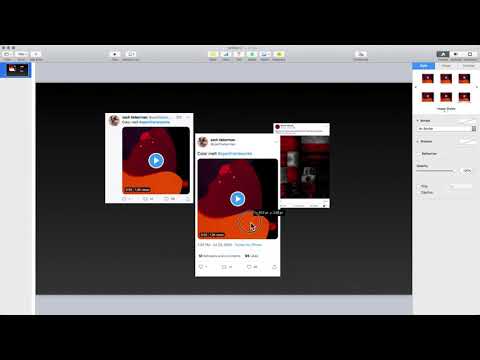
Make a screen grab of a tweet. Right click at a tweet and select the "Capture" option.
*UPDATE 13-04-2021* Added a bit more delay to wait for video/image to load. Sometimes the screen capture happens too early and get a blank image. *UPDATE 09-04-2021* Action trigger point changed to the context menu. It's a lot more convenient now. Right click at a tweet to capture. *UPDATE 15-07-2020* Made the tweet narrower so the text will be bigger and easier to read, matching with the design on iOS app. *UPDATE 14-07-2020* Added function to support tweets which are too long to fit into the screen. The extension will scroll the page down and capture the remaining parts. After installation, visit a single tweet page, e.g. https://twitter.com/Twitter/status/1274087687469715457 Remember to refresh existing opened twitter pages to activate the extension. Click at the extension icon on the address bar. An image will be generated and saved into your clipboard. You can paste it into Google Slides, Powerpoint or Photoshop etc. 1 known issue: if the screen capture an empty white image, just try again will resolve the problem. (This happens when images load slower than the 0.3 seconds delay)
3 จาก 5 คะแนนการให้คะแนน 7 รายการ
รายละเอียด
- รุ่น0.0.6
- อัปเดตแล้ว13 เมษายน 2564
- นำเสนอโดยShang Liang
- ขนาด40.27KiB
- ภาษาEnglish
- นักพัฒนาซอฟต์แวร์
อีเมล
liang.shang@gmail.com - ไม่ใช่ผู้ค้านักพัฒนาซอฟต์แวร์รายนี้ไม่ได้ระบุว่าตัวเองเป็นผู้ค้า สำหรับผู้บริโภคในสหภาพยุโรป โปรดทราบว่าสิทธิของผู้บริโภคไม่มีผลกับสัญญาระหว่างคุณกับนักพัฒนาซอฟต์แวร์รายนี้
ความเป็นส่วนตัว

นักพัฒนาซอฟต์แวร์รายนี้ประกาศว่าข้อมูลของคุณจะ
- ไม่ถูกขายไปยังบุคคลที่สามหากไม่ใช่ Use Case ที่ได้รับอนุมัติ
- ไม่ถูกใช้หรือถูกโอนเพื่อวัตถุประสงค์ที่ไม่เกี่ยวข้องกับฟังก์ชันการทำงานหลักของรายการ
- ไม่ถูกใช้หรือถูกโอนเพื่อพิจารณาความน่าเชื่อถือทางเครดิตหรือเพื่อวัตถุประสงค์การให้สินเชื่อ