

ChatGPT Studio - Video Scripts, Scenes and Storyboards

Overview
Generate video scripts, visual storyboards, and social titles, captions and thumbnails from your own ChatGPT session.
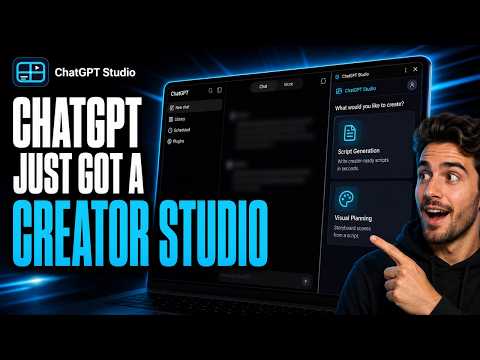
Turn your ChatGPT session into structured video scripts, scene-by-scene storyboards, and ready-to-post social packaging. ChatGPT Studio is a Chrome side panel for video creators. It uses the ChatGPT tab you already have open: it builds the structured prompt, submits it, waits for the reply, validates it, and organises the result into scenes you can copy, download, and reuse—instead of you copying long responses, splitting scenes by hand, and juggling documents. Write the script. Plan every scene. Generate the images. Package the post. USE YOUR OWN CHATGPT SESSION ChatGPT Studio works with the ChatGPT account you are already signed in to. No separate ChatGPT account is provided and no API key is required. When you start a generation, ChatGPT Studio prepares the prompt, submits it through your open chatgpt.com tab, captures the completed response, validates it, and organises it inside the side panel. If automatic capture is interrupted, press "ChatGPT finished" to recover the reply from the visible conversation, or paste it manually and let ChatGPT Studio parse it—no wasted generation. AI VIDEO SCRIPT GENERATION Move from a rough topic to a scene-by-scene script. • Enter a title or topic • Choose a target length: 30s, 60s, 3 min, 6 min, or 12 min ➜ • Pick a preset style that shapes the tone and structure, from documentary and storytelling to tutorial, advertiser, and audiobook formats • Add a video context (setting, era, location) and notes (key points, audience, call to action) • Review the full script and its numbered scene breakdown • Copy the whole script or any single scene • Save completed scripts to your Assetra AI account and reopen them from history VISUAL PLANNING AND STORYBOARDS A script says what is heard. A visual plan says what is seen. • Start from a saved script in your history, or type/paste any script • Choose a frame: 16:9, 9:16, 1:1, or 4:5 • Add a video context so every scene shares the same world • Get a scene-by-scene storyboard with a detailed image prompt for each visual • Copy prompts one at a time or copy all prompts at once • Save visual plans to your Assetra AI account and reopen them from history GENERATE STORYBOARD IMAGES IN CHATGPT Once the plan is ready, generate the images without leaving the panel. • Generate an image for one scene, or generate all scenes in sequence • Track each scene's status and re-run any scene that fails • Review every image beside the prompt that produced it • Download images individually or the whole storyboard as a ZIP Images are generated in your own ChatGPT session and kept in the panel until you download them. SOCIAL META: TITLES, CAPTIONS AND THUMBNAILS (FREE) Package the video for the social platform you are posting to. ➜ • Pick the social platform you are posting to, for long-form video, short-form video, or feed posts • Set the format, thumbnail frame, hook intensity, tone, keywords, channel name, and notes • Get multiple title options, descriptions with hashtags and tags, and thumbnail concepts • Every piece of copy is trimmed to the chosen platform's character limits before you see it • Optionally generate the thumbnail images from the concepts through your ChatGPT session • Copy any title, description, or thumbnail prompt with one click Social Meta is free and never touches the Assetra platform: it runs through your ChatGPT tab and its history stays in your browser. WHY CREATORS USE CHATGPT STUDIO Structure, not chat — Free-form ChatGPT replies become validated, numbered scenes and prompts. One flow — Script → storyboard → images → post packaging, without leaving the side panel. Never lose a reply — Recover from the visible conversation or paste it in; the work is not wasted. Your account, your control — You choose topic, length, style, frame, and tone; ChatGPT does the writing in the tab you already trust. Pick up where you left off — Scripts and visual plans are saved to Assetra AI and reopen from history. HOW IT WORKS Install ChatGPT Studio and sign in with Google to connect your Assetra AI account. Open chatgpt.com and make sure you are signed in. Open the side panel and choose Script Generation, Visual Planning, or Social Meta. Enter your topic and settings. ChatGPT Studio submits the prompt through your open ChatGPT tab. Review the validated result, copy or download it, or continue into the next step. PRIVACY AND PERMISSIONS ChatGPT Studio requests only what it needs: • Storage — keeps you signed in and saves preferences and in-progress work • Tabs — finds your open ChatGPT tab and opens pages you ask for • Side panel — displays the ChatGPT Studio workspace beside ChatGPT • Scripting — restores the packaged content script in a ChatGPT tab that was open before install, so you don't have to reload • Identity — secure Google sign-in for your Assetra AI account • Access to https://chatgpt.com/* — submits your prompts and captures completed responses from your own session ChatGPT Studio does not request access to other websites and does not collect browsing history. All extension logic ships in the package; remote calls go to Assetra AI for sign-in, prompt preparation, validation, and saved projects—never for remote code. IMPORTANT REQUIREMENTS • You need access to ChatGPT at chatgpt.com and must be signed in to your own session. • An Assetra AI account is required to sign in and to save scripts and visual plans. • ChatGPT availability, capabilities, and account limits are controlled by its provider. • AI-generated scripts, plans, prompts, images, and social copy can contain errors and should be reviewed before publication or commercial use. • You are responsible for ensuring your prompts and generated content comply with applicable laws, platform policies, and third-party rights. CREATE WITH CHATGPT. PRODUCE WITH STRUCTURE. Start with an idea. Generate the script. Plan every scene. Create the images. Package the post. Install ChatGPT Studio and turn your ChatGPT session into a focused video production workspace.
0 out of 5No ratings
Details
- Version1.2.0
- UpdatedSeptember 29, 2026
- FeaturesOffers in-app purchases
- Size186KiB
- LanguagesEnglish (United States)
- DeveloperWebsite
Email
assetratechnologies@gmail.com - Non-traderThis developer has not identified itself as a trader. For consumers in the European Union, please note that consumer rights do not apply to contracts between you and this developer.
Privacy

ChatGPT Studio - Video Scripts, Scenes and Storyboards has disclosed the following information regarding the collection and usage of your data. More detailed information can be found in the developer's privacy policy.
ChatGPT Studio - Video Scripts, Scenes and Storyboards handles the following:
This developer declares that your data is
- Not being sold to third parties, outside of the approved use cases
- Not being used or transferred for purposes that are unrelated to the item's core functionality
- Not being used or transferred to determine creditworthiness or for lending purposes
Support
For help with questions, suggestions, or problems, please open this page on your desktop browser