

Nexus AI – Smart Web & PDF Context Analyzer, Summarizer

Overview
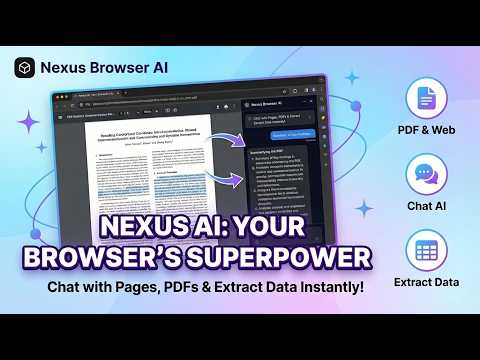
Smart context-aware AI summaries for web & PDFs. Instantly chat with files, rewrite content, and extract structured data to CSV.
🚀 Nexus AI – context-aware Web & PDF Analyzer, Summarizer, & Data Extractor Analyze any webpage, research paper, or PDF instantly with AI. Get context-aware summaries, rewrite content, extract structured data (prices, tables) to CSV, and chat with files — directly inside your browser. Stop switching tabs. Stop copy-pasting. Nexus AI reads and understands the full context of your active tab, document, or PDF — giving you instant, accurate results. ⚡ All-in-One AI Context Assistant for Chrome 🆓 Free Plan — No Signup Required Get started instantly with 5 free contextual AI requests per day. No credit card needed. 🎯 Perfect for: Contextual AI summarization, PDF analysis, structured data extraction, content rewriting, and research automation. 🧠 Context-Aware AI (No Copy-Paste Needed) Unlike generic AI chat extensions, Nexus AI integrates with your active browser context. It reads and understands the exact content of any webpage, PDF, or document for: • Contextual AI summaries • Contextual AI answers • Structured data extraction ✨ Core Contextual Features (One-Click Productivity) 🖱️ Contextual Right-Click Actions Select any text and instantly activate: • AI Contextual Reply (Professional, Casual, Witty, Short) • AI Contextual Rewriter (Professional, Casual, Formal, Sorter) • AI Contextual Summarizer (Key Points, Action Items, Pros & Cons) • AI Data Extractor (names, dates, prices, numbers) • AI Explain Tool (simplify complex content) • Grammar, Spell Checker, and Translator 📄 Smart AI PDF Reader & Webpage Summarizer Contextually summarize: • Blog articles • Research papers • PDFs • Product pages • Documentation Get instant TL;DR summaries, insights, and structured breakdowns based on real page content. 💬 Chat With Any Webpage or PDF Ask questions like: "Summarize this PDF", "Extract all pricing info", "What are the key takeaways?". Nexus AI answers using real context, not guesses. ✍️ Contextual AI Writing Assistant Use Nexus AI directly inside Gmail, LinkedIn, Twitter (X), Slack, Reddit to: • Write contextual emails instantly • Rewrite text in different tones • Draft social media posts • Create reports from page content 📊 Smart Context Data Extraction Turn unstructured context into structured data to CSV: ✔ Prices & product info ✔ Emails & contacts ✔ Statistics & key insights ✔ Lists & comparisons ⬇️ Export & Build Your Knowledge Base Save summaries, extracted data, and AI responses to build your own research and insights library. Download outputs as: • TXT • CSV (structured tables) • PDF (clean formatted reports) 🎯 Who Uses Nexus AI? • Students & Researchers (contextual AI summary, PDF analysis) • Marketers & SEOs (competitor analysis, data extraction) • Sales Teams (contextual email drafting, lead research) • Developers (documentation understanding) • Professionals & Teams 🔒 Privacy First No tracking of browsing history, background monitoring, or data harvesting. AI runs only when you activate it. ⚡ Install Nexus AI now and turn any webpage into a context-aware AI workspace.
5 out of 53 ratings
Details
- Version1.4.5
- UpdatedApril 11, 2026
- FeaturesOffers in-app purchases
- Size250KiB
- LanguagesEnglish (United States)
- DeveloperWebsite
Email
nemanjafalbweb@gmail.com - Non-traderThis developer has not identified itself as a trader. For consumers in the European Union, please note that consumer rights do not apply to contracts between you and this developer.
Privacy

Nexus AI – Smart Web & PDF Context Analyzer, Summarizer has disclosed the following information regarding the collection and usage of your data. More detailed information can be found in the developer's privacy policy.
Nexus AI – Smart Web & PDF Context Analyzer, Summarizer handles the following:
This developer declares that your data is
- Not being sold to third parties, outside of the approved use cases
- Not being used or transferred for purposes that are unrelated to the item's core functionality
- Not being used or transferred to determine creditworthiness or for lending purposes
Support
For help with questions, suggestions, or problems, visit the developer's support site