

NextDue – Quick Add, Reminders & Google Calendar

Overview
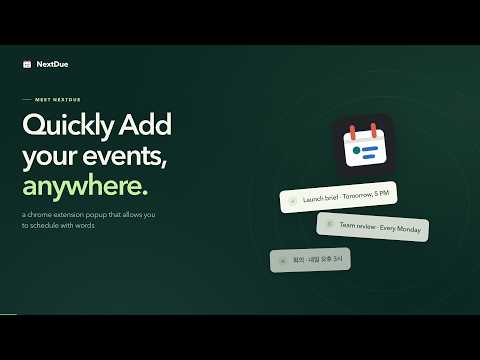
Add tasks and events with natural language. Set reminders, recurring schedules and time zones, with optional Google Calendar.
NextDue is a Chrome extension for task reminders, deadline tracking, and natural-language scheduling. Quickly add your events, anywhere: open the toolbar popup, type your plan, review the details, and save. QUICK ADD: SCHEDULE WITH WORDS Turn a thought into a deadline or schedule without filling out every field. Try: • review draft tn at 5pm • zoom call tmr 5pm to 7pm pst • stretch every day at 9am • demo next week 5pm kst • Réunion demain à 15h30 • 회의 내일 오후 3시 Preview the date, time, and repeat details before adding an item. Use exact date and time controls whenever you prefer. RECURRING EVENTS AND REMINDERS Plan daily routines, weekly commitments, monthly tasks, and yearly events. Use weekday patterns, time ranges, and durations. Choose reminders, snooze an item, or mark it done. Completing a local repeating item advances it to its next future occurrence. TIME ZONES AND 11 SCHEDULING LANGUAGES Convert supported time-zone suffixes into your local time for one-time English entries. ET follows Eastern daylight-saving rules; PST means fixed UTC−8. Localized and repeating entries use your browser's local time zone. Quick Add recognizes supported scheduling phrases in English, Spanish, French, Portuguese, German, Chinese, Japanese, Korean, Russian, Arabic, and Hindi. Phrase support varies by language; the interface is English. OPTIONAL GOOGLE CALENDAR INTEGRATION See upcoming events from your selected Google calendars alongside your local work, in a list, Month view or Week view. When connected, each new Quick Add entry creates a Google Calendar event in the writable calendar chosen in Settings, including entries from exact details, captured/restored drafts and the address bar. Date-only entries are all day unless you enable a default time; timed entries without an explicit length last 30 minutes. Existing local items stay local when edited. Create events directly from the Calendar view with a chosen calendar, location, description, repeat pattern and reminder. Existing Google events are managed in Google Calendar. Additional NextDue alerts for Calendar events are off by default. CAPTURE AND ORGANIZE IN CHROME Capture selected text or a webpage into a draft from the right-click menu. You can also type nd followed by Space or Tab in Chrome's address bar to use Quick Add. Open the dashboard to search and filter your plans, add notes, reschedule, duplicate, or complete items. Choose Chrome popup reminders, system notification banners, or both. Chrome must be running for reminders; system banners follow your device's notification settings. The reminder chip on Google Search, Gmail, and Google Calendar is off by default. NextDue asks for website access only when you enable it in Settings. Turning it off removes that website access. QUICK ADD RUNS ON YOUR DEVICE No NextDue account is needed for local features. Quick Add processes text on your device, with no advertising, analytics, or developer-operated server. Local items stay in this Chrome profile. Optional Calendar features exchange data directly with Google. See the privacy policy for details. Add NextDue to Chrome and schedule your next plan with words.
0 out of 5No ratings
Details
- Version0.1.4
- UpdatedOctober 23, 2026
- Size187KiB
- LanguagesEnglish
- Developer
Email
klee12260@gmail.com - Non-traderThis developer has not identified itself as a trader. For consumers in the European Union, please note that consumer rights do not apply to contracts between you and this developer.
Privacy

NextDue – Quick Add, Reminders & Google Calendar has disclosed the following information regarding the collection and usage of your data. More detailed information can be found in the developer's privacy policy.
NextDue – Quick Add, Reminders & Google Calendar handles the following:
This developer declares that your data is
- Not being sold to third parties, outside of the approved use cases
- Not being used or transferred for purposes that are unrelated to the item's core functionality
- Not being used or transferred to determine creditworthiness or for lending purposes
Support
For help with questions, suggestions, or problems, visit the developer's support site