


Overview
Nexo AI for Oracle APEX: chat, SQL and PL/SQL completion and APEXlang editing, linked to VS Code. Requires Nexo SQL Studio Pro.
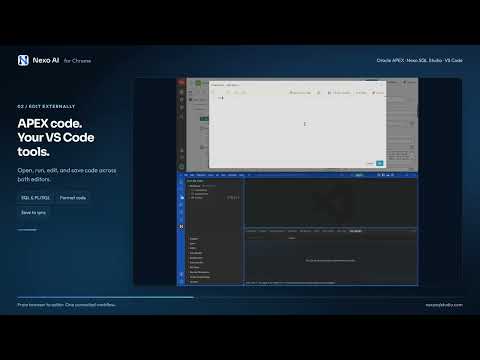
Bring your VS Code workflow into Oracle APEX with Nexo SQL Studio. Ask Nexo AI about the application you are working on, write SQL and PL/SQL with schema-aware assistance, and edit APEX code with AI. Requires Nexo SQL Studio for Visual Studio Code, an active Nexo SQL Studio Pro subscription, and VS Code running on the same computer. AI usage is provided by your configured AI provider and is billed separately by that provider. What you can do: • Open Nexo AI in Chrome's side panel with the current APEX application, page, component and selected code as context. • Get SQL and PL/SQL completion and parameter signatures inside APEX Code Editors using your connected Oracle schema. • Format SQL and PL/SQL from the APEX Code Editor toolbar. • Open a SQL worksheet in Nexo SQL Studio with the current APEX session automatically attached, ready to execute queries in the same session context with a single click. • Use Edit externally to send the current editor text to VS Code and return saved changes to the same APEX editor. Accept the dialog and save the page in APEX Builder to persist those edits. • Open the current page's exported APEXlang source from Page Designer or the runtime developer toolbar. • Ask Nexo AI to edit related APEXlang files and apply authorized changes. In a development environment with Live reload enabled, a successful apply refreshes the running page. Validation and import errors remain visible in Nexo SQL Studio. Get started: 1. Install Nexo SQL Studio in VS Code and sign in with an active Pro plan or trial. 2. Authorize the connection Safeguards options to allow the MCP usage of your development apex connections. Configure a supported AI provider in Nexo when using AI features, use your Chat GPT plan with "Sign In With ChatGPT" or bring Anthropic or Bedrock API keys. 3. Install the Nexo SQL Studio Chrome extension and allow it only in the domain of your apex development environment domain. 4. Open Nexo AI from Page Designer, APEX developer toolbar, or Code Editor and start using the extension. APEXlang editing and Live reload require a compatible Oracle APEX version and an exported application workspace. Database writes follow the permissions and safeguards configured in Nexo connections or environments. How your data is used: The extension connects to Nexo SQL Studio on your own computer through Chrome native messaging. Database credentials and AI provider keys remain in the VS Code host securely. Context and code from APEX sites you enable can be sent through Nexo to your chosen AI provider when you use AI features. Only enable the extension on environments and connections you want to work with.
0 out of 5No ratings
Details
- Version2.1.0
- UpdatedOctober 15, 2026
- FeaturesOffers in-app purchases
- Size3.68MiB
- LanguagesEnglish (United States)
- DeveloperNexo SQL StudioWebsite
Avinguda de la Verge de Montserrat, El Prat de Llobregat, España El Prat de Llobregat, Barcelona 08820 ESEmail
support@nexosqlstudio.com - Non-traderThis developer has not identified itself as a trader. For consumers in the European Union, please note that consumer rights do not apply to contracts between you and this developer.
Privacy

Nexo SQL Studio has disclosed the following information regarding the collection and usage of your data. More detailed information can be found in the developer's privacy policy.
Nexo SQL Studio handles the following:
This developer declares that your data is
- Not being sold to third parties, outside of the approved use cases
- Not being used or transferred for purposes that are unrelated to the item's core functionality
- Not being used or transferred to determine creditworthiness or for lending purposes
Support
For help with questions, suggestions, or problems, visit the developer's support site