

NexaTabs - Tab Manager, Workspaces & Session Saver

Overview
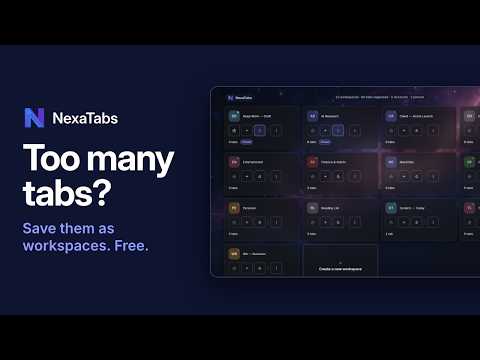
Save tabs into workspaces and switch projects in one click. Import from other tab managers. Local backup, no sign-up, no cloud.
NexaTabs is a tab manager that saves your tabs as named workspaces, so you can close a project and reopen the same tabs later. Switch between client work, research and personal browsing in one click, without rebuilding your session. Everything stays on your device. No NexaTabs account, no sign-up, no cloud. WHAT YOU CAN DO - Save & Close: save a workspace's open tabs and close them in one action. - Switch workspaces: open a saved workspace as a Chrome tab group, or set one as Quick and stash-and-switch with Alt+Q. - Open alongside: open a saved workspace next to what is already open. - Notes and bookmarks: keep notes, prompts and reference links with each workspace. - Duplicate, export and import a single workspace. - Pin and protect the workspaces you never want to lose. - Right-click any page and choose Add to NexaTabs workspace. - Zen Mode: a calm full-page dashboard of your workspaces, with an optional wallpaper. SWITCHING FROM ANOTHER TAB MANAGER? The Import wizard (beta) brings in Chrome tab groups, browser bookmarks, plain URL lists, and exports from OneTab, Session Buddy, Workona and Toby. It adds to what you have and never replaces your existing workspaces. YOUR DATA, ON YOUR DEVICE - Workspaces, notes and settings are stored in your browser, not on our servers. - Export a local JSON backup any time and restore it later or on another computer. - Missing website icons can load from the site or Google's favicon service. Turn this off in Settings and NexaTabs makes no icon requests. EXPERIMENTAL: ACCOUNTS (SAME SITE · MULTIPLE LOGINS) Give a workspace its own sign-in for one site, so you can stay signed in to more than one account on that site in one browser. Site support varies and some sites may block or detect multiple logins. It is not a replacement for separate browser profiles when you need hard separation. You can turn Accounts off for any workspace. WHY NEXATABS ASKS FOR SITE ACCESS Chrome shows "Read and change all your data on all websites" because Accounts has to work on whichever site you use it on, and because a missing icon may load from the site. NexaTabs does not send your browsing or workspace data anywhere. Each permission is explained at github.com/nebulatech-in/nexatabs-docs. Available in English, Deutsch, Francais and Espanol (Latinoamerica). Free forever in its present form. Help and how-tos: https://www.nexatabs.com/answers
0 out of 5No ratings
Details
- Version1.0.3
- UpdatedNovember 11, 2026
- Size1.26MiB
- Languages4 languages
- DeveloperNebula Personalization Tech Solutions Pvt. Ltd.Website
Regus Business Suburbs, Dynasty, Andheri-E Mumbai, Maharashtra 400059 INEmail
support@nebulatech.inPhone
+91 88280 01948 - TraderThis developer has identified itself as a trader per the definition from the European Union and committed to only offer products or services that comply with EU laws.
- D-U-N-S874084097
Privacy

This developer declares that your data is
- Not being sold to third parties, outside of the approved use cases
- Not being used or transferred for purposes that are unrelated to the item's core functionality
- Not being used or transferred to determine creditworthiness or for lending purposes
Support
For help with questions, suggestions, or problems, visit the developer's support site