


Overview
Turn raw screen recordings into narrated videos and step-by-step docs with AI — in minutes, right from your browser.
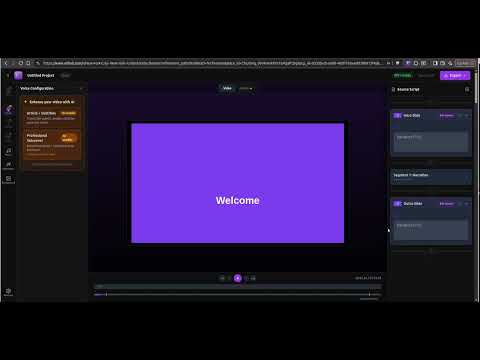
Record your SaaS flows as if you were explaining to a user — AI turns it into living documentation. Speak naturally, no script needed. You can pause, make mistakes, or redo parts — AI rewrites your script, generates professional voiceover, and keeps everything perfectly in sync with the video. From a single recording, everything is ready — no extra tools needed: - Hosted video with professional narration - Step-by-step article with screenshots - Full help center, ready to use - An AI agent embedded in your product Everything is connected: The article text matches exact moments in the video. When a user asks the AI agent something, they’re taken straight to the relevant video timestamp. How it works: - Record while explaining your flow - Edit with AI (rewritten script + synced voice) - Publish — we host everything One recording becomes complete, always up-to-date documentation. Start free and document your product in minutes.
0 out of 5No ratings
Details
- Version1.0.3
- UpdatedMarch 27, 2026
- FeaturesOffers in-app purchases
- Size167KiB
- Languages2 languages
- DeveloperTAGORE CAUE CARDOSOWebsite
Avenida Cândido Hartmann, 4244 Casa 1 Curitiba, PR 82015-100 BREmail
privacy@nexa.videoPhone
+55 41 99820-0308 - TraderThis developer has identified itself as a trader per the definition from the European Union and committed to only offer products or services that comply with EU laws.
Privacy

Nexa — Product Videos and Documentation in Minutes, with AI has disclosed the following information regarding the collection and usage of your data. More detailed information can be found in the developer's privacy policy.
Nexa — Product Videos and Documentation in Minutes, with AI handles the following:
This developer declares that your data is
- Not being sold to third parties, outside of the approved use cases
- Not being used or transferred for purposes that are unrelated to the item's core functionality
- Not being used or transferred to determine creditworthiness or for lending purposes