


Overview
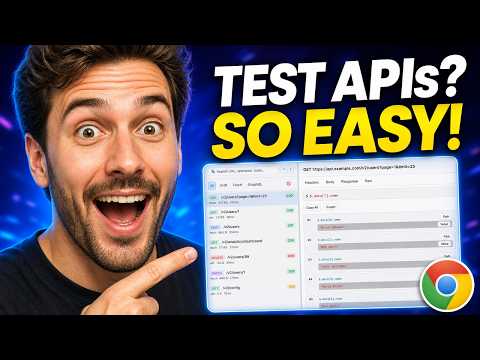
Edit & replay API requests directly in DevTools. Inspect GraphQL, test JSONPath, decode JWTs, and debug network traffic locally.
Supercharge your Chrome DevTools Network tab. Edit, modify, and replay HTTP/XHR/Fetch requests, inspect GraphQL queries, evaluate JSONPath, and decode JWT tokens—without leaving your browser. Stop switching tabs to Postman or copying requests as cURL commands just to re-trigger an endpoint with modified parameters. Network++ turns Chrome DevTools into a fast, integrated API debugging environment. ━━━━━━━━━━━━━━━━━━━━━ ⚡ KEY FEATURES ━━━━━━━━━━━━━━━━━━━━━ 🔹 Edit & Replay HTTP Requests • Intercept and modify request headers, query parameters, method, and payload (JSON/Form-data). • Resend fetch and XHR calls directly from DevTools to reproduce frontend and API bugs instantly. 🔹 Interactive JSONPath Query Engine • Run live JSONPath queries against response bodies. • Extract nested JSON keys without console logging or manual parsing. 🔹 Inline JWT & Token Decoder • Automatically detect and decode Bearer tokens and Authorization headers. • Inspect token payload, expiration times, and claims at a glance. 🔹 GraphQL Inspector & Debugger • Cleanly view GraphQL queries, variables, and operations instead of minified JSON blobs. • Modify variables and replay operations in one click. 🔹 Local Collections & History • Save modified requests into local collections for rapid regression testing. • Replay recent requests without reloading the page. ━━━━━━━━━━━━━━━━━━━━━ 🔒 PRIVACY & SECURITY ━━━━━━━━━━━━━━━━━━━━━ • 100% Local-First: All parsing, decoding, and replay happen entirely inside your browser's DevTools sandbox. • Zero Telemetry: No analytics, tracking scripts, or external network requests are executed. • Your API keys, auth headers, and payloads never leave your machine. ━━━━━━━━━━━━━━━━━━━━━ 🚀 QUICK START ━━━━━━━━━━━━━━━━━━━━━ 1. Open Chrome DevTools (`F12` or `Cmd + Option + I`). 2. Navigate to the "Network++" tab. 3. Select any network request, click "Edit & Replay", adjust parameters, and send!
4.6 out of 57 ratings
Details
- Version2.2.0
- UpdatedOctober 27, 2026
- Offered bydev.amolchavan
- Size105KiB
- LanguagesEnglish
- Developer
Email
dev.amolchavan@gmail.com - Non-traderThis developer has not identified itself as a trader. For consumers in the European Union, please note that consumer rights do not apply to contracts between you and this developer.
Privacy

This developer declares that your data is
- Not being sold to third parties, outside of the approved use cases
- Not being used or transferred for purposes that are unrelated to the item's core functionality
- Not being used or transferred to determine creditworthiness or for lending purposes