Netflix အမြန်နှုန်း ထိန်းချုပ်ကိရိယာ အတွက် ပရိုဂရမ်လိုဂိုပုံ

Netflix အမြန်နှုန်း ထိန်းချုပ်ကိရိယာ

၄.၇(

အဆင့်သတ်မှတ်ချက် ၆ ခု

)
နောက်ဆက်တွဲလုပ်ဆောင်ချက်၊ UI၄,၀၀၀ အသုံးပြုသူများ
Netflix အမြန်နှုန်း ထိန်းချုပ်ကိရိယာ အတွက် ပရိုဂရမ်မီဒီယာ ၅ (ဖန်သားပြင်ပုံ)
ဖိုင်ဗီဒီယို ပုံသေး
Netflix အမြန်နှုန်း ထိန်းချုပ်ကိရိယာ အတွက် ပရိုဂရမ်မီဒီယာ ၂ (ဖန်သားပြင်ပုံ)
Netflix အမြန်နှုန်း ထိန်းချုပ်ကိရိယာ အတွက် ပရိုဂရမ်မီဒီယာ ၃ (ဖန်သားပြင်ပုံ)
Netflix အမြန်နှုန်း ထိန်းချုပ်ကိရိယာ အတွက် ပရိုဂရမ်မီဒီယာ ၄ (ဖန်သားပြင်ပုံ)
Netflix အမြန်နှုန်း ထိန်းချုပ်ကိရိယာ အတွက် ပရိုဂရမ်မီဒီယာ ၅ (ဖန်သားပြင်ပုံ)
ဖိုင်ဗီဒီယို ပုံသေး
ဖိုင်ဗီဒီယို ပုံသေး
Netflix အမြန်နှုန်း ထိန်းချုပ်ကိရိယာ အတွက် ပရိုဂရမ်မီဒီယာ ၂ (ဖန်သားပြင်ပုံ)
Netflix အမြန်နှုန်း ထိန်းချုပ်ကိရိယာ အတွက် ပရိုဂရမ်မီဒီယာ ၃ (ဖန်သားပြင်ပုံ)
Netflix အမြန်နှုန်း ထိန်းချုပ်ကိရိယာ အတွက် ပရိုဂရမ်မီဒီယာ ၄ (ဖန်သားပြင်ပုံ)
Netflix အမြန်နှုန်း ထိန်းချုပ်ကိရိယာ အတွက် ပရိုဂရမ်မီဒီယာ ၅ (ဖန်သားပြင်ပုံ)

အနှစ်ချုပ်

Netflix ဖွင့်သည့် အမြန်နှုန်းကို စိတ်ကြိုက်တန်ဖိုးများ၊ ကီးဘုတ်ဖြတ်လမ်းများနှင့် စခရင်ပေါ် ထပ်ဆင့်ဖော်ပြမှုဖြင့် ထိန်းချုပ်ပါ။

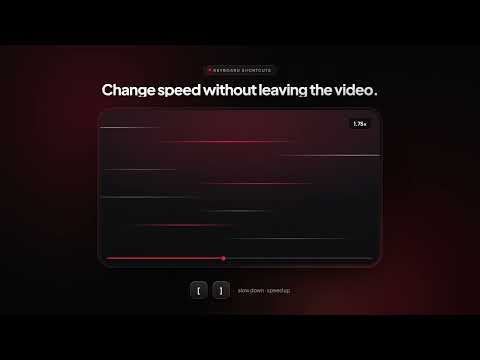
Netflix Speed ​​Controller က built-in option တွေထက် အများကြီးကျော်လွန်ပြီး Netflix မှာ playback speed ကို အပြည့်အဝထိန်းချုပ်နိုင်ပါတယ်။ 2.5x မှာ recaps တွေကို မြန်မြန်လုပ်ချင်ပဲဖြစ်ဖြစ်၊ 0.5x မှာ အသေးစိတ်အချက်အလက်တိုင်းကို ဖမ်းယူဖို့ scene တစ်ခုကို နှေးအောင်လုပ်ချင်တာပဲဖြစ်ဖြစ်၊ 1.35x မှာ သင့်အတွက် ပြီးပြည့်စုံတဲ့ speed ကို ရှာဖွေချင်တာပဲဖြစ်ဖြစ်၊ ဒီ extension က အလွယ်တကူလုပ်ဆောင်နိုင်စေပါတယ်။ ━━━━━━━━━━━━━━━━━━━━━━━━━━━ ⚡ အဓိကအင်္ဂါရပ်များ ▸ စိတ်ကြိုက်မြန်နှုန်းထိန်းချုပ်မှု — တိကျသောဒဿမတန်ဖိုးများဖြင့် 0.1x မှ 16x အထိ မည်သည့်မြန်နှုန်းကိုမဆို သတ်မှတ်ပါ ▸ မြန်နှုန်းခလုတ်များ — တစ်ချက်နှိပ်ရုံဖြင့် ကြိုတင်သတ်မှတ်ထားသော ဆက်တင်များ (0.75x၊ 1.0x၊ 1.25x၊ 1.5x၊ 2.0x၊ 3.0x) — အပြည့်အဝစိတ်ကြိုက်ပြင်ဆင်နိုင်သည် ▸ ကီးဘုတ်အတိုကောက်များ — ကြည့်ရှုနေစဉ် မြန်နှုန်းကို ချက်ချင်းလျှော့ချ/တိုးမြှင့်ရန် [ နှင့် ] ကိုနှိပ်ပါ ▸ မျက်နှာပြင်ပေါ်ရှိညွှန်ပြချက် — ဗီဒီယိုပေါ်တွင် သင်၏လက်ရှိမြန်နှုန်းကို အနှောင့်အယှက်မရှိသော အလွှာငယ်တစ်ခုက ပြသသည် ▸ အလွှာငယ်ထိန်းချုပ်မှုများ — ဗီဒီယိုဖွင့်စက်ပေါ်ရှိ ရွေးချယ်နိုင်သော +/- ခလုတ်များကို တိုက်ရိုက်အသုံးပြုနိုင်သည် ▸ မြန်နှုန်းလျှောစက် — ပေါ့ပ်အပ်တွင် မြန်နှုန်းကို ချောမွေ့စွာချိန်ညှိရန် ဆွဲယူပါ ▸ စဉ်ဆက်မပြတ်မြန်နှုန်း — သင်၏မြန်နှုန်းဆက်တင်သည် အပိုင်းများနှင့် စာမျက်နှာလမ်းညွှန်မှုတွင် သယ်ဆောင်သွားသည် ▸ ယုံကြည်စိတ်ချစွာအလုပ်လုပ်သည် — Netflix ၏ အတွင်းပိုင်းဖွင့်စက်ကို ကျော်လွှားရန် ဒီဇိုင်းထုတ်ထားသည် ပြန်လည်သတ်မှတ်ခြင်း ━━━━━━━━━━━━━━━━━━━━━━━━━━ 🎨 စိတ်ကြိုက်ပြင်ဆင်ခြင်း ▸ အစည်းအဝေးတိုင်းအတွက် သင်၏ မူရင်းအမြန်နှုန်းကို ရွေးချယ်ပါ ▸ အမြန်ဝင်ရောက်ခွင့် အမြန်နှုန်း ကြိုတင်သတ်မှတ်ချက်များကို စိတ်ကြိုက်ပြင်ဆင်ပါ ▸ အမြန်နှုန်းအဆင့် အရွယ်အစားကို ချိန်ညှိပါ (ဖြတ်လမ်းတစ်ခုစီ နှိပ်လိုက်သည့် ပမာဏ ပြောင်းလဲသည်) ▸ အလွှာကို မည်သည့်ထောင့်တွင်မဆို ထားရှိပါ ▸ အလွှာ opacity ကို ချိန်ညှိပါ ▸ မှောင်မိုက်သော အပြင်အဆင်များနှင့် အလင်းသော အပြင်အဆင်များအကြား ပြောင်းလဲပါ ▸ ဘာသာစကား ၅၄ မျိုးဖြင့် ရရှိနိုင်ပါသည် ━━━━━━━━━━━━━━━━━━━━━━━━━━━ 🔒 ကိုယ်ရေးကိုယ်တာ ဦးစားပေး ▸ ဒေတာစုဆောင်းခြင်း မရှိပါ၊ ဘယ်တော့မှ ▸ ပြင်ပကွန်ရက် တောင်းဆိုမှုများ မရှိပါ ▸ ခွဲခြမ်းစိတ်ဖြာမှု သို့မဟုတ် ခြေရာခံခြင်း မရှိပါ ▸ ဆက်တင်များအားလုံးကို သင့်စက်တွင် ဒေသတွင်းတွင် သိမ်းဆည်းထားသည် ━━━━━━━━━━━━━━━━━━━━━━━━━━━━ ⌨️ မူရင်းကီးဘုတ် ဖြတ်လမ်းများ ▸ ] — အရှိန်မြှင့်ပါ။ ▸ [ — အရှိန်လျှော့ပါ။ ▸ ဆက်တင်များတွင် အပြည့်အဝ စိတ်ကြိုက်ပြင်ဆင်နိုင်သည် — သင်နှစ်သက်သည့် သော့တွဲများကို သတ်မှတ်ပါ။ ━━━━━━━━━━━━━━━━━━━━━━━━━━ 💡 အသုံးပြုပုံ 1. တိုးချဲ့မှုကို ထည့်သွင်းပါ။ 2. Netflix သို့သွားပြီး မည်သည့်အကြောင်းအရာကိုမဆို ဖွင့်ပါ။ 3. ကိုနှိပ်ပါ။ မြန်နှုန်းထိန်းချုပ်ကိရိယာကိုဖွင့်ရန် extension အိုင်ကွန် ၄။ အမြန်ခလုတ်များ၊ slider ကိုသုံးပါ သို့မဟုတ် စိတ်ကြိုက်မြန်နှုန်းကို ရိုက်ထည့်ပါ ၅။ သို့မဟုတ် ကြည့်ရှုနေစဉ် သင့်ကီးဘုတ်ပေါ်ရှိ ] နှင့် [ ကို နှိပ်ပါ ━━━━━━━━━━━━━━━━━━━━━━━━━━━━ ဘာသာစကားသင်ယူသူများ၊ အလွန်အကျွံကြည့်ရှုသူများ၊ အသုံးပြုနိုင်စွမ်းလိုအပ်ချက်များ သို့မဟုတ် ၎င်းတို့၏ Netflix အတွေ့အကြုံကို ပိုမိုထိန်းချုပ်လိုသူတိုင်းအတွက် ပြီးပြည့်စုံပါသည်။ ဘာတွေပြောင်းလဲသွားလဲဆိုတာ ဒီမှာကြည့်ပါ- https://e8013585.github.io/netflix-speed-controller-changelog/

အသေးစိတ်

  • ဗားရှင်း
    1.2.1
  • အပ်ဒိတ်လုပ်ပြီး
    ၂၀၂၆ နိုဝင်ဘာ ၇
  • ကမ်းလှမ်းထားသူ
    Unpossible Apps
  • အရွယ်အစား
    348KiB
  • ဘာသာစကားများ
    ဘာသာစကား ၅၉ ခု
  • ဆော့ဖ်ဝဲရေးသူ
    အီးမေးလ်
    e8013585@gmail.com
  • ကုန်သည် မဟုတ်သူ
    ဤဆော့ဖ်ဝဲရေးသူသည် ကုန်သည်အဖြစ် ၎င်းကိုယ်၎င်း သတ်မှတ်မထားပါ။ ဥရောပသမဂ္ဂအတွင်းရှိ အသုံးပြုသူများအတွက် စားသုံးသူ အခွင့်အရေးသည် သင်နှင့် ဤဆော့ဖ်ဝဲရေးသူအကြား စာချုပ်များနှင့် မသက်ဆိုင်ကြောင်း သတိပြုပါ။

ကိုယ်ရေးအချက်အလက်လုံခြုံမှု

နောက်ဆက်တွဲများကို စီမံပြီး ၎င်းတို့ကို သင့်အဖွဲ့အစည်းတွင် အသုံးပြုပုံကို လေ့လာပါ
ဆော့ဖ်ဝဲရေးသူသည် သင့်ဒေတာအား စုစည်း (သို့) အသုံးပြုမည်မဟုတ်ကြောင်း ကြေညာထားသည်။ ပိုမိုလေ့လာရန် ဆော့ဖ်ဝဲရေးသူ၏ privacy policy ကို ကြည့်ပါ။

သင့်ဒေတာသည် အောက်ပါအတိုင်းဖြစ်ကြောင်း ဤဆော့ဖ်ဝဲရေးသူက ကြေညာသည်

  • အတည်ပြုထားသော အသုံးပြုမှုဖြစ်စဉ်များ မှလွဲ၍ ပြင်ပကုမ္ပဏီများသို့ ရောင်းချထားခြင်း မရှိပါ
  • ဖိုင်၏ ပင်မလုပ်ဆောင်ချက်နှင့် မသက်ဆိုင်သော ရည်ရွယ်ချက်များအတွက် အသုံးမပြုခြင်း (သို့) လွှဲပြောင်းမှု မပြုခြင်း
  • ပြန်ဆပ်မည်ဟု ယုံကြည်ရခြင်းကို ဆုံးဖြတ်ရန် (သို့) ချေးငှားရန်ရည်ရွယ်ချက်များအတွက် အသုံးမပြုခြင်း (သို့) လွှဲပြောင်းမှု မပြုခြင်း

ဆက်စပ်သည်များ

Apple TV Speeder: adjust playback speed [QVI]

၃.၇

Control Apple TV+ playback speed from 0.25x to 16x. Speed up or slow down shows and movies with one click or keyboard hotkeys.

Hulu Speeder: adjust playback speed [QVI]

၄.၃

Extension allows to adjust the playback speed on Hulu according to your preferences

Netflix Speed Control — 0.25x to 3x, Custom Interval Fast Forward & Rewind

၅.၀

Speed up Netflix. Playback speed slider up to 3x. Skip back or forward 1–60 seconds instead of 10. Auto-skip intros and recaps.

Video Speed Lock (Control Master)

၄.၀

It keeps the video playback speed at the desired speed at all times.

Easy Speed Drag Netflix

၅.၀

Click & drag left or right on Netflix videos to adjust the playback speed.

Netflix Hold 2x Speed

၅.၀

Hold down the mouse on the right side of the screen to speed up Netflix videos to 2x.

🎬 Netflix Auto Skip & Speed

၀.၀

✨ Skip intros, outros & control playback speed on Netflix ✨

Crunchyroll Speeder: adjust playback speed [QVI]

၄.၈

Extension allows to adjust the playback speed on Crunchyroll according to preference

Video playback rate control for YouTube™

၄.၆

Take full control of YouTube video playback speed. Adjust the rate more extensively.

SpeedUp: Netflix, Prime videos

၄.၅

Controls the speed for online streaming for Netflix, Amazon Prime, Youtube, Twitch, Reddit and ALL others.

DragFree (Mouse Unblock+Char Count+Image Save+Capture)

၄.၃

Restores mouse drag, right-click, and image save on blocked sites. Adds bulk image save, char counter, and page capture.

Speeder that works with Disney Plus [QVI]

၄.၁

Independent software - not affiliated with Disney. Adjust Disney+ playback speed from 0.25x up to 16x with ease.

Apple TV Speeder: adjust playback speed [QVI]

၃.၇

Control Apple TV+ playback speed from 0.25x to 16x. Speed up or slow down shows and movies with one click or keyboard hotkeys.

Hulu Speeder: adjust playback speed [QVI]

၄.၃

Extension allows to adjust the playback speed on Hulu according to your preferences

Netflix Speed Control — 0.25x to 3x, Custom Interval Fast Forward & Rewind

၅.၀

Speed up Netflix. Playback speed slider up to 3x. Skip back or forward 1–60 seconds instead of 10. Auto-skip intros and recaps.

Video Speed Lock (Control Master)

၄.၀

It keeps the video playback speed at the desired speed at all times.

Easy Speed Drag Netflix

၅.၀

Click & drag left or right on Netflix videos to adjust the playback speed.

Netflix Hold 2x Speed

၅.၀

Hold down the mouse on the right side of the screen to speed up Netflix videos to 2x.

🎬 Netflix Auto Skip & Speed

၀.၀

✨ Skip intros, outros & control playback speed on Netflix ✨

Crunchyroll Speeder: adjust playback speed [QVI]

၄.၈

Extension allows to adjust the playback speed on Crunchyroll according to preference

Google အက်ပ်များ