Netflix PiP, 이제 Prime 및 D+에서도 [QVI]의 상품 로고 이미지

Netflix PiP, 이제 Prime 및 D+에서도 [QVI]

추천
4.0(

평점 138개

)
확장 프로그램놀이100,000 사용자
Netflix PiP, 이제 Prime 및 D+에서도 [QVI]의 항목 미디어 3(스크린샷)
Netflix PiP, 이제 Prime 및 D+에서도 [QVI]의 항목 미디어 4(스크린샷)
동영상 썸네일 항목
Netflix PiP, 이제 Prime 및 D+에서도 [QVI]의 항목 미디어 2(스크린샷)
Netflix PiP, 이제 Prime 및 D+에서도 [QVI]의 항목 미디어 3(스크린샷)
Netflix PiP, 이제 Prime 및 D+에서도 [QVI]의 항목 미디어 4(스크린샷)
동영상 썸네일 항목
Netflix PiP, 이제 Prime 및 D+에서도 [QVI]의 항목 미디어 2(스크린샷)
동영상 썸네일 항목
Netflix PiP, 이제 Prime 및 D+에서도 [QVI]의 항목 미디어 2(스크린샷)
Netflix PiP, 이제 Prime 및 D+에서도 [QVI]의 항목 미디어 3(스크린샷)
Netflix PiP, 이제 Prime 및 D+에서도 [QVI]의 항목 미디어 4(스크린샷)

개요

좋아하는 동영상 콘텐츠를 PiP 모드로 스트리밍하세요.

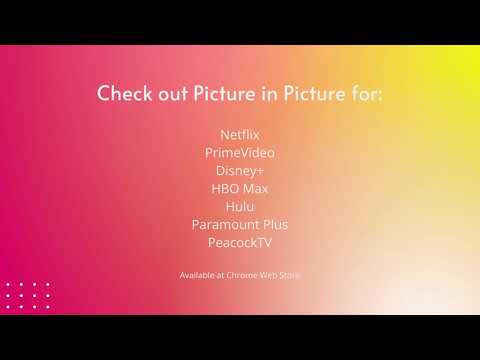
We're thrilled to present the latest update, where we've listened to your feedback and made it happen – introducing the much-anticipated Picture-in-Picture icon with subtitles support! 🌟 What's New: New Picture-in-Picture Icon: Now you can enjoy uninterrupted viewing while diving into other tasks, all with the added bonus of subtitles! Are you looking for a tool to watch your favorite series in a convenient always-on-top window? You’re in the right place! Netflix Picture in Picture is perfect for multitasking, having something on in the background, or even working from home (we don’t advise sharing it with your boss though). There’s no need to stack multiple browser tabs anymore or to use other screens, it’s all fixed by this extension. How does it work? Netflix Picture in Picture allows you to play video content in a floating window pinned always on top, so you can use the rest of your screen for other tasks. This extension adds an extra control button, which can be found among other viewing options (e.g. full-screen). Just click on it to launch a separate window with the show you’d like to watch and place it wherever you want, whether you're browsing your FB feed or preparing a business presentation. Netflix Picture in Picture now works on all your favorite SVOD platforms: - Netflix, - Disney Plus, - HBO Max, - Peacock TV, - Paramount+, - and more... All you need to do is add Netflix Picture in Picture extension to your browser and enjoy your favorite series in the background. It's as simple as that! 이 확장 프로그램은 시청자 참여에 대한 이해를 향상시키기 위한 공동 노력인 Quality Viewership Initiative의 일부입니다. 이는 제작자와 스튜디오가 콘텐츠 품질을 향상시키는 데 도움이 되도록 익명으로 집계된 시청 데이터를 수집합니다. 옵션 페이지에서 토글을 전환하여 언제든지 정보 공유를 중지할 수 있습니다. Disclaimer: All product and company names are trademarks or registered trademarks of their respective holders. This website & extensions hold no association or affiliation with them or any third-party companies.

세부정보

  • 버전
    0.2.84
  • 업데이트됨
    2026년 4월 10일
  • 제공
    ToopExt
  • 크기
    380KiB
  • 언어
    언어 55개
  • 개발자
    HideApp LLC
    1021 East Lincolnway Cheyenne, WY 82001 US
    이메일
    toopext@gmail.com
    전화
    +1 913-278-5152
  • 판매자
    개발자가 유럽연합에서 정의한 바에 따라 본인을 판매자로 밝혔으며 EU 법규를 준수하는 제품 또는 서비스만 제공하기로 약정했습니다.
  • D-U-N-S
    132615120

개인정보 보호

확장 프로그램을 관리하고 조직에서 확장 프로그램이 사용되는 방식을 알아보세요.

Netflix PiP, 이제 Prime 및 D+에서도 [QVI]에서 데이터 수집 및 사용과 관련하여 다음 정보를 공개했습니다. 더 자세한 정보는 개발자의 privacy policy을 참고하세요.

Netflix PiP, 이제 Prime 및 D+에서도 [QVI] 항목은 다음을 처리합니다.

개인 식별 정보
인증 정보
위치
사용자 활동
웹사이트 콘텐츠

개발자가 사용자 데이터에 관해 다음과 같이 선언했습니다

  • 승인된 사용 사례를 제외하고 서드 파티에 판매하지 않음
  • 항목의 핵심 기능과 관련 없는 목적으로 사용하거나 전송하지 않음
  • 신용도 판단 또는 대출 목적으로 사용하거나 전송하지 않음

지원

관련 항목

Peacock TV Picture In Picture [QVI]

5.0

Extension to watch PeacockTV in Picture in Picture mode. Enables a separate floating window to enjoy your favorite video content.

화면 속 화면 | PiP | 플로팅 비디오 플레이어

4.9

플로팅 창에서 동영상 시청. YouTube, Netflix 등 모든 사이트의 PiP 모드. 항상 위에 표시됩니다.

Prime Video Picture In Picture [QVI]

4.3

Extension to watch Prime Video in Picture in Picture mode. Enables a separate floating window to enjoy your favorite video content.

Picture-in-Picture Extension (by Google)

3.9

Watch video using Picture-in-Picture

Picture in Picture works with Disney Plus [QVI]

4.1

Independent software - not affiliated with Disney. Watch Disney+ in a floating always-on-top Picture in Picture window.

Hulu Picture In Picture [QVI]

4.0

Extension to watch Hulu in Picture in Picture mode. Enables a separate floating window to enjoy your favorite video content.

SuperPiP - 재생 컨트롤과 자막이 포함된 Picture-in-Picture

3.8

YouTube, Netflix, Disney+, Prime Video를 Picture-in-Picture로 시청 — 완전한 컨트롤, 자막, 키보드 단축키 지원.

Picture in Picture with subtitles — Piphover

2.6

Picture in Picture with subtitles. Increase your productivity while continuing watching what you love.

Picture-in-Picture YouTube - Netflix and more

3.8

Picture-in-Picture mode allows you to watch video in a floating window with playback video controls.

크런치롤: 화면 속 화면 [QVI]

4.2

크런치롤을 화면 속 화면 모드로 시청하기 위한 확장 프로그램. 선호하는 동영상에 대한 플로팅 창을 제공합니다.

Picture In Picture for Prime Video

5.0

Install Picture-In-Picture chrome extension and enable PIP mode on all Amazon prime videos.

HBO Max Picture in Picture [QVI]

4.7

Extension to watch HBOMax in Picture in Picture mode. Enables a separate floating window to enjoy your favorite video content.

Peacock TV Picture In Picture [QVI]

5.0

Extension to watch PeacockTV in Picture in Picture mode. Enables a separate floating window to enjoy your favorite video content.

화면 속 화면 | PiP | 플로팅 비디오 플레이어

4.9

플로팅 창에서 동영상 시청. YouTube, Netflix 등 모든 사이트의 PiP 모드. 항상 위에 표시됩니다.

Prime Video Picture In Picture [QVI]

4.3

Extension to watch Prime Video in Picture in Picture mode. Enables a separate floating window to enjoy your favorite video content.

Picture-in-Picture Extension (by Google)

3.9

Watch video using Picture-in-Picture

Picture in Picture works with Disney Plus [QVI]

4.1

Independent software - not affiliated with Disney. Watch Disney+ in a floating always-on-top Picture in Picture window.

Hulu Picture In Picture [QVI]

4.0

Extension to watch Hulu in Picture in Picture mode. Enables a separate floating window to enjoy your favorite video content.

SuperPiP - 재생 컨트롤과 자막이 포함된 Picture-in-Picture

3.8

YouTube, Netflix, Disney+, Prime Video를 Picture-in-Picture로 시청 — 완전한 컨트롤, 자막, 키보드 단축키 지원.

Picture in Picture with subtitles — Piphover

2.6

Picture in Picture with subtitles. Increase your productivity while continuing watching what you love.

Google 앱