Gambar logo item untuk Netflix PiP sekarang untuk Prime & D+ [QVI]

Netflix PiP sekarang untuk Prime & D+ [QVI]

Unggulan
4,0(

136 rating

)
EkstensiLelucon100.000 pengguna
Media item 3 (screenshot) untuk Netflix PiP sekarang untuk Prime & D+ [QVI]
Media item 4 (screenshot) untuk Netflix PiP sekarang untuk Prime & D+ [QVI]
Thumbnail video item
Media item 2 (screenshot) untuk Netflix PiP sekarang untuk Prime & D+ [QVI]
Media item 3 (screenshot) untuk Netflix PiP sekarang untuk Prime & D+ [QVI]
Media item 4 (screenshot) untuk Netflix PiP sekarang untuk Prime & D+ [QVI]
Thumbnail video item
Media item 2 (screenshot) untuk Netflix PiP sekarang untuk Prime & D+ [QVI]
Thumbnail video item
Media item 2 (screenshot) untuk Netflix PiP sekarang untuk Prime & D+ [QVI]
Media item 3 (screenshot) untuk Netflix PiP sekarang untuk Prime & D+ [QVI]
Media item 4 (screenshot) untuk Netflix PiP sekarang untuk Prime & D+ [QVI]

Ringkasan

Streaming konten video favorit Anda dalam mode Picture in Picture.

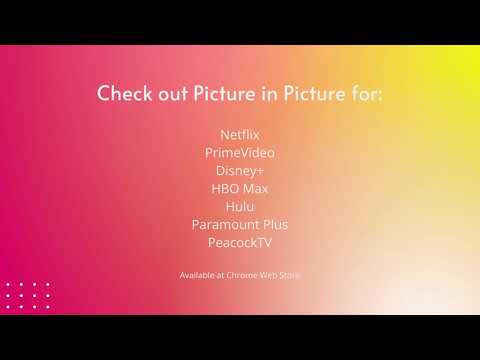
We're thrilled to present the latest update, where we've listened to your feedback and made it happen – introducing the much-anticipated Picture-in-Picture icon with subtitles support! 🌟 What's New: New Picture-in-Picture Icon: Now you can enjoy uninterrupted viewing while diving into other tasks, all with the added bonus of subtitles! Are you looking for a tool to watch your favorite series in a convenient always-on-top window? You’re in the right place! Netflix Picture in Picture is perfect for multitasking, having something on in the background, or even working from home (we don’t advise sharing it with your boss though). There’s no need to stack multiple browser tabs anymore or to use other screens, it’s all fixed by this extension. How does it work? Netflix Picture in Picture allows you to play video content in a floating window pinned always on top, so you can use the rest of your screen for other tasks. This extension adds an extra control button, which can be found among other viewing options (e.g. full-screen). Just click on it to launch a separate window with the show you’d like to watch and place it wherever you want, whether you're browsing your FB feed or preparing a business presentation. Netflix Picture in Picture now works on all your favorite SVOD platforms: - Netflix, - Disney Plus, - HBO Max, - Peacock TV, - Paramount+, - and more... All you need to do is add Netflix Picture in Picture extension to your browser and enjoy your favorite series in the background. It's as simple as that! Ekstensi ini merupakan bagian dari Quality Viewership Initiative, upaya kolaboratif untuk meningkatkan pemahaman tentang keterlibatan audiens. Ekstensi ini mengumpulkan wawasan tontonan anonim dan teragregasi untuk mendukung pembuat dan studio dalam meningkatkan kualitas konten mereka. Anda dapat berhenti membagikan informasi Anda kapan saja dengan mengubah sakelar di halaman opsi. Disclaimer: All product and company names are trademarks or registered trademarks of their respective holders. This website & extensions hold no association or affiliation with them or any third-party companies.

Detail

  • Versi
    0.2.84
  • Diupdate
    10 April 2026
  • Ditawarkan oleh
    ToopExt
  • Ukuran
    380KiB
  • Bahasa
    55 bahasa
  • Developer
    HideApp LLC
    1021 East Lincolnway Cheyenne, WY 82001 US
    Email
    toopext@gmail.com
    Telepon
    +1 913-278-5152
  • Pedagang
    Developer ini telah mengidentifikasi diri sebagai pedagang berdasarkan definisi dari Uni Eropa dan berkomitmen untuk hanya menawarkan produk atau layanan yang mematuhi hukum Uni Eropa.
  • D-U-N-S
    132615120

Privasi

Kelola ekstensi dan pelajari cara penggunaannya di organisasi Anda

Netflix PiP sekarang untuk Prime & D+ [QVI] telah mengungkapkan informasi berikut ini terkait pengumpulan dan penggunaan data Anda. Informasi lebih mendetail dapat dilihat di privacy policy developer.

Netflix PiP sekarang untuk Prime & D+ [QVI] menangani hal berikut:

Informasi identitas pribadi
Informasi autentikasi
Lokasi
Aktivitas pengguna
Konten situs

Developer ini menyatakan bahwa data Anda

  • Tidak dijual ke pihak ketiga, di luar kasus penggunaan yang disetujui
  • Tidak digunakan atau ditransfer untuk tujuan yang tidak terkait dengan fungsi inti item
  • Tidak digunakan atau ditransfer untuk menentukan kelayakan kredit atau untuk tujuan pinjaman

Dukungan

Terkait

HBO Max Picture in Picture [QVI]

4,6

Extension to watch HBOMax in Picture in Picture mode. Enables a separate floating window to enjoy your favorite video content.

Peacock TV Picture In Picture [QVI]

5,0

Extension to watch PeacockTV in Picture in Picture mode. Enables a separate floating window to enjoy your favorite video content.

Gambar dalam Gambar | PiP | Pemutar Video Mengambang

4,9

Tonton video di jendela mengambang. Mode PiP untuk YouTube, Netflix & semua situs. Selalu di atas.

Picture-in-Picture Extension (by Google)

3,9

Watch video using Picture-in-Picture

Picture in Picture works with Disney Plus [QVI]

4,1

Independent software - not affiliated with Disney. Watch Disney+ in a floating always-on-top Picture in Picture window.

Hulu Picture In Picture [QVI]

4,1

Extension to watch Hulu in Picture in Picture mode. Enables a separate floating window to enjoy your favorite video content.

SuperPiP - Picture-in-Picture dengan kontrol pemutaran dan subtitle

3,8

Tonton YouTube, Netflix, Disney+ dan Prime Video dalam Picture-in-Picture — kontrol penuh, subtitle, dan pintasan.

Picture in Picture with subtitles — Piphover

2,6

Picture in Picture with subtitles. Increase your productivity while continuing watching what you love.

Picture in Picture - PiP View

4,6

Picture-in-Picture mode allows you to watch a video in a floating window with playback video and volume controls.

Picture-in-Picture YouTube - Netflix and more

3,8

Picture-in-Picture mode allows you to watch video in a floating window with playback video controls.

Crunchyroll: Gambar dalam Gambar [QVI]

4,1

Ekstensi untuk menonton Crunchyroll dalam mode gambar dalam gambar. Menyediakan jendela mengambang untuk video favorit Anda.

Picture In Picture for Prime Video

5,0

Install Picture-In-Picture chrome extension and enable PIP mode on all Amazon prime videos.

HBO Max Picture in Picture [QVI]

4,6

Extension to watch HBOMax in Picture in Picture mode. Enables a separate floating window to enjoy your favorite video content.

Peacock TV Picture In Picture [QVI]

5,0

Extension to watch PeacockTV in Picture in Picture mode. Enables a separate floating window to enjoy your favorite video content.

Gambar dalam Gambar | PiP | Pemutar Video Mengambang

4,9

Tonton video di jendela mengambang. Mode PiP untuk YouTube, Netflix & semua situs. Selalu di atas.

Picture-in-Picture Extension (by Google)

3,9

Watch video using Picture-in-Picture

Picture in Picture works with Disney Plus [QVI]

4,1

Independent software - not affiliated with Disney. Watch Disney+ in a floating always-on-top Picture in Picture window.

Hulu Picture In Picture [QVI]

4,1

Extension to watch Hulu in Picture in Picture mode. Enables a separate floating window to enjoy your favorite video content.

SuperPiP - Picture-in-Picture dengan kontrol pemutaran dan subtitle

3,8

Tonton YouTube, Netflix, Disney+ dan Prime Video dalam Picture-in-Picture — kontrol penuh, subtitle, dan pintasan.

Picture in Picture with subtitles — Piphover

2,6

Picture in Picture with subtitles. Increase your productivity while continuing watching what you love.

Aplikasi Google