


Overview
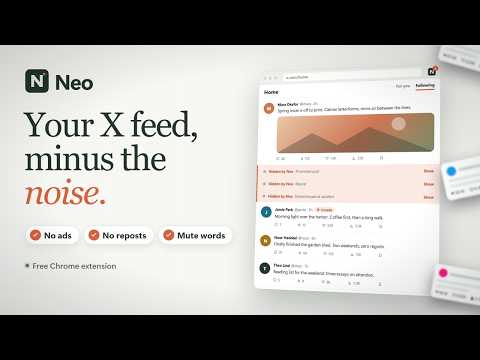
Take control of your X/Twitter feed.
Neo clears the noise from X/Twitter and lets you shape your feed the way you like it. Everything is one click to undo. START WITH A PRESET Balanced, Focus, or Minimal, each showing what it hides and keeps. Then change any switch; Neo tells you how your setup differs from the preset and can restore it without touching your look or filters. A live preview of a whole X screen shows each change before you open X, and points to exactly what a setting affects. A CALMER FEED • Open Home on Following • Hide reposts and promoted posts (only posts X marks as ads) • Hide like, repost, and view counts • Set a default reply order: Relevant, Recent, or Likes • Share copies a post’s link in one click CLEAR OUT THE CLUTTER • Trends and Today’s News, who to follow, Premium upsells, and footer links • Grok everywhere: sidebar, post buttons, drawer, composer, and profile summaries • Pinned Home tabs and the + button • Any left-sidebar button, or either whole sidebar. Hidden destinations stay one click away in More. MUTE WORDS AND ACCOUNTS Mute up to 100 words or phrases and 100 accounts, right in your browser. Hidden posts leave a quiet note with the reason and a Reveal button, or disappear completely if you prefer. Nobody is muted on X. MAKE IT YOURS Light, Dim, and Midnight themes for the feed, menus, hover cards, and sidebars. Text from 13 to 20 px, three timeline widths, and three post spacings. Neo’s own settings and quick controls follow your theme. ACCOUNT REGIONS (OPTIONAL) Show X’s public “Account based in” value after authors’ names, in hover cards, or both. Build a region list by searching, or add an account’s region straight from its hover card. X estimates these regions and can be wrong; Neo never guesses one. For regions you list, choose what happens: • Hide posts: their posts fold into a note with Reveal and Block buttons. Nothing is blocked unless you click Block. • Preview only: a dry run that lists who auto-block would block, without hiding or blocking anyone. • Auto-block: Neo blocks matching authors on X as you scroll, at most 30 an hour, after you confirm. It skips your own account, regions X marks as possibly inaccurate, and, by default, anyone you follow. Block history shows who was blocked and when, with a link to each profile. These options are off until you turn them on. Blocks are real and stay if you remove Neo. SAVE VIDEOS A download button next to Share on posts with a video or GIF, quoted posts included. Pick from the qualities X actually offers, or set a preferred one (Highest, 1080p, 720p, 480p) and skip the picker. Chrome saves the MP4 to your Downloads folder. Neo looks a post up only when you click, with your own X session, and asks Chrome for permission to save files the first time. SEE WHAT NEO FILTERED Activity shows how many posts Neo filtered: ads, reposts and other unwanted posts, and region-matched posts, each counted once. Accounts blocked on X are counted separately, and the time you saved is shown as an estimate (about 8 seconds per ad and 6 per other post). Watch the count climb on Neo’s button and the toolbar icon, and switch between this session and all time. The counts stay on your device, and you can clear them. ALWAYS WITHIN REACH Neo adds a small control to X’s sidebar for presets, switches, and pause. The toolbar popup works too. Search settings with /, and pause Neo any time to see X exactly as it was. Export your setup to a file; an import is checked and summarized before anything changes, and presets, imports, and resets can be undone. Something not working? Report a problem from settings, the popup, or Neo’s panel on X. PRIVATE BY DESIGN One required permission: storage. Saving videos asks for Chrome's downloads permission when you first allow it. No analytics, no tracking, no remote code. Your settings stay in this browser and are never sent to the publisher. Region lookups, blocks, and video downloads go directly to X, and only when you use those features. Neo works on the desktop X website. Some detection relies on English labels, and changes to X can need updates. Neo is an independent extension and is not affiliated with or endorsed by X Corp. X and Twitter names identify the website Neo customizes.
5 out of 51 rating
Details
- Version0.1.6
- UpdatedOctober 21, 2026
- Size705KiB
- Languages45 languages
- DeveloperWebsite
Email
niyoz2005@gmail.com - Non-traderThis developer has not identified itself as a trader. For consumers in the European Union, please note that consumer rights do not apply to contracts between you and this developer.
Privacy

This developer declares that your data is
- Not being sold to third parties, outside of the approved use cases
- Not being used or transferred for purposes that are unrelated to the item's core functionality
- Not being used or transferred to determine creditworthiness or for lending purposes
Support
For help with questions, suggestions, or problems, visit the developer's support site