


Overview
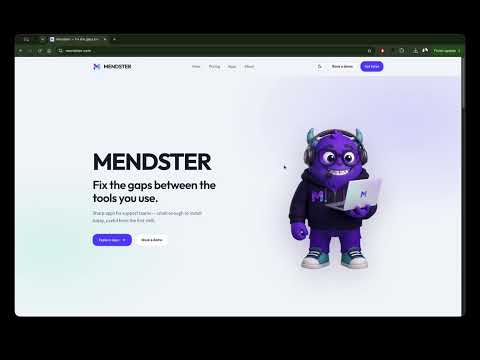
Munch a full-page screenshot of the current page — scrolls, stitches, and serves it up in one tab.
PageMuncher captures a full-page screenshot of the tab you're on — it scrolls the whole page, stitches every piece together, and serves the result in a viewer tab where you can rename the file and download it as PNG or PDF. • One click (or Alt+Shift+P) captures the entire page, not just the visible part • Download as PNG, or as PDF — extra-long pages become one multi-page PDF • Rename your file before downloading • Everything happens on your device: no accounts, no analytics, no data leaves your browser • Free
5 out of 51 rating
Details
- Version2.0.0
- UpdatedAugust 15, 2026
- Size194KiB
- LanguagesEnglish (United Kingdom)
- Developer
- Non-traderThis developer has not identified itself as a trader. For consumers in the European Union, please note that consumer rights do not apply to contracts between you and this developer.
Privacy

Manage extensions and learn how they're being used in your organization
The developer has disclosed that it will not collect or use your data. To learn more, see the developer’s privacy policy.
This developer declares that your data is
- Not being sold to third parties, outside of the approved use cases
- Not being used or transferred for purposes that are unrelated to the item's core functionality
- Not being used or transferred to determine creditworthiness or for lending purposes
Support
For help with questions, suggestions, or problems, visit the developer's support site