


Overview
Capture web tables and export structured data for analysis and reporting.
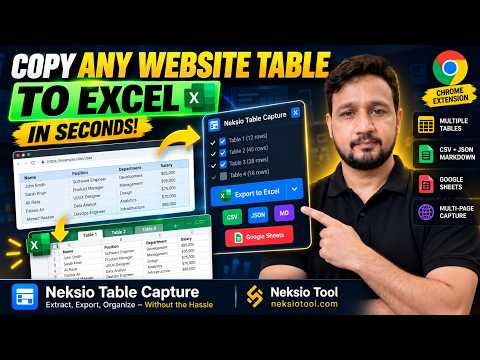
Neksio Table Capture Neksio Table Capture helps you collect structured data from HTML tables on webpages. Select tables, capture their contents, and export the information for further use. Key Features Table Capture Detect and collect rows and columns from supported webpages without manually copying individual cells. Multiple Table Selection Select and capture multiple tables from the same webpage in one workflow. Data Export Export captured information in supported formats or copy it to your clipboard for use in other applications. Google Sheets Compatibility Copy captured table data and paste it into Google Sheets using the standard copy-and-paste workflow. Free Version The free version supports up to 6,000 rows and 200 tables per capture, with access to the extension's supported capture and export features. Pro Version Pro adds advanced data collection features, including multi-page capture, automated pagination, Auto Capture, and recovery capabilities. Pro supports unlimited rows, with up to 200 tables per capture. Privacy and Licensing Captured table data is processed locally by the extension. Pro access is managed through Neksio Central using signed entitlement verification. Google Sheets integration uses copy and paste and does not require Google OAuth. Learn More https://neksiotool.com/neksio-table-capture/
5 out of 52 ratings
Details
- Version1.0.8
- UpdatedOctober 17, 2026
- FeaturesOffers in-app purchases
- Size107KiB
- LanguagesEnglish
- DeveloperMubashir HussainWebsite
House No 27 Street No 2 Block U New Multan 60000 PKEmail
neksiotools@gmail.comPhone
+92 300 3537437 - TraderThis developer has identified itself as a trader per the definition from the European Union and committed to only offer products or services that comply with EU laws.
Privacy

This developer declares that your data is
- Not being sold to third parties, outside of the approved use cases
- Not being used or transferred for purposes that are unrelated to the item's core functionality
- Not being used or transferred to determine creditworthiness or for lending purposes
Support
For help with questions, suggestions, or problems, please open this page on your desktop browser