


Overview
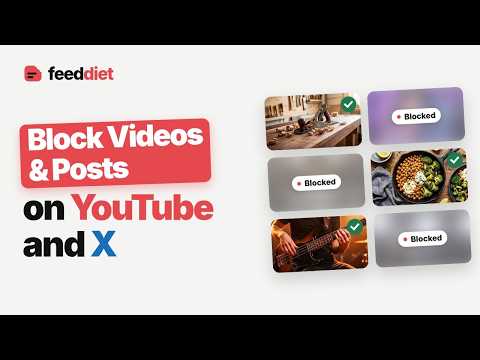
Block YouTube videos and X posts you don't want to see. Write a rule in plain words, like "no politics," and Feed Diet hides them.
Block YouTube videos and X (Twitter) posts by topic, channel, or anything else you can describe. Write one rule in your own words, and Feed Diet hides or blurs every video and post that breaks it. No keyword lists to maintain. Feed Diet reads each video and post as your feed loads and checks it against your rule. It understands exceptions and "only", so it filters by meaning, not by exact words. Just say: - "No politics, except the history of old elections." - "Only woodworking and cooking." - "Hide MrBeast and reaction videos." - "No crypto, except boring index-fund advice." *HOW IT WORKS* Write your rule. One or two sentences, in plain words. Feed Diet reads each card: the title and channel of a YouTube video, or the text and author of an X post. Anything that breaks your rule is blocked. Choose Hide to remove it from the page, or Blur to put it behind frosted glass. One click shows a blurred post. WHERE IT WORKS • YouTube: the home feed, search results, the watch-page sidebar, and Shorts • A direct link to a YouTube video or Short follows your rule too • X (Twitter): your home timeline ONE RULE FOR YOUTUBE, ANOTHER FOR X Click the Feed Diet icon to open the side panel. YouTube and X each have their own rule, on/off switch, and Blur or Hide choice. WHO IT IS FOR • Parents who want to block YouTube content for their kids • Anyone who wants to hide politics, news, sports, or spoilers • People who want fewer distractions and a feed that stays on topic LOCK YOUR RULES Set a password in the side panel, and nobody can change the rules, the on/off switches, or Blur and Hide without it. Parents can use it so kids cannot turn the filter off. PRIVATE BY DESIGN Feed Diet sees a video's title and channel, or a post's text and author, only to check it against your rule. We store none of it. No profile, no ads, no analytics. Change your rule any time. Your feed follows the new rule at once. Uninstall and your feeds are back to normal. Website: https://feeddiet.com Privacy policy: https://feeddiet.com/privacy Support: support@feeddiet.com
0 out of 5No ratings
Details
- Version0.2.0
- UpdatedSeptember 26, 2026
- FeaturesOffers in-app purchases
- Size106KiB
- LanguagesEnglish (United States)
- DeveloperWebsite
Email
support@3vai.com - Non-traderThis developer has not identified itself as a trader. For consumers in the European Union, please note that consumer rights do not apply to contracts between you and this developer.
Privacy

Feed Diet: Block YouTube Videos and X Posts by Topic has disclosed the following information regarding the collection and usage of your data. More detailed information can be found in the developer's privacy policy.
Feed Diet: Block YouTube Videos and X Posts by Topic handles the following:
This developer declares that your data is
- Not being sold to third parties, outside of the approved use cases
- Not being used or transferred for purposes that are unrelated to the item's core functionality
- Not being used or transferred to determine creditworthiness or for lending purposes
Support
For help with questions, suggestions, or problems, visit the developer's support site