


Overview
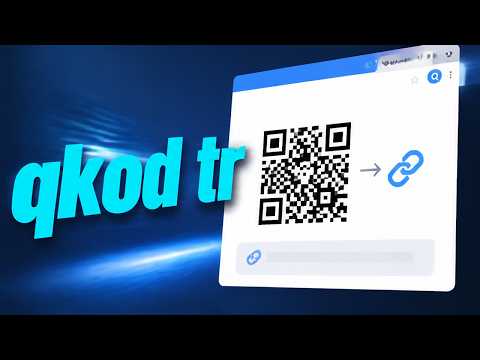
Shorten the current tab and generate QR code with qkod.tr in one click.
Shorten long links instantly and create custom QR codes in a single click with Qkod. Designed for speed, simplicity, and absolute privacy, Qkod processes your requests directly on its own servers—never sharing your data with external third parties or tracking networks. KEY FEATURES ✔ One-Click URL Shortening: Turn bulky, complex web addresses into clean, shareable short links directly from your active browser tab. ✔ Instant QR Code Generation: Automatically generate high-quality QR codes for any shortened link—ready for presentations, print, and mobile sharing. ✔ Privacy-Focused Architecture: Everything is processed directly through secure Qkod infrastructure. No third-party data broker routing, no invasive ad tracking, and no cookie surveillance. ✔ Lightweight & High-Performance: Built on Manifest V3 standards with a minimal footprint, fast API response times, and zero background clutter. ✔ Multi-Language Support: Seamless localized user experience tailored to your browser language. HOW IT WORKS 1-Open any webpage you want to shorten. 2-Click the Qkod icon in your browser toolbar. 3-Your short URL and QR code are ready immediately—copy and share anywhere with confidence. WHY CHOOSE QKOD? Unlike generic URL shorteners cluttered with intermediary landing pages, slow redirects, or user-tracking scripts, Qkod focuses strictly on speed, utility, and absolute data integrity.
0 out of 5No ratings
Details
- Version1.1.0
- UpdatedSeptember 29, 2026
- Size14.63KiB
- Languages2 languages
- DeveloperWebsite
Email
munib.ozsoy@gmail.com - Non-traderThis developer has not identified itself as a trader. For consumers in the European Union, please note that consumer rights do not apply to contracts between you and this developer.
Privacy

This developer declares that your data is
- Not being sold to third parties, outside of the approved use cases
- Not being used or transferred for purposes that are unrelated to the item's core functionality
- Not being used or transferred to determine creditworthiness or for lending purposes
Support
For help with questions, suggestions, or problems, please open this page on your desktop browser