

YouTube Pop Out Player: Speed & Loop – Floaty

Overview
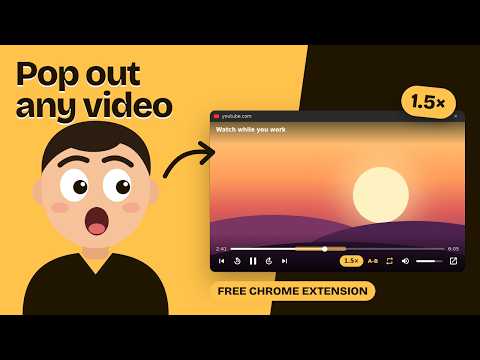
YouTube Pop Out Player with speed control, A-B loop, 10s skip and volume. Watch videos in a floating window while you work.
YouTube Pop Out Player – watch YouTube in a floating window that stays on top, and control it without going back to the tab. Floaty is a YouTube pop out player built for people who watch while they work, study or code. Click the Floaty button in the YouTube player (or press Alt+P) and the video pops out into a small window that stays on top of your other apps. Unlike Chrome's built-in picture-in-picture, Floaty's window comes with the controls you actually need. ★ FEATURES - Playback speed from 0.5× to 3×: click the speed button, scroll on it, or use [ and ] - A-B loop: mark a start and end point and repeat that part. Great for practicing music and learning languages - Loop the whole video - Skip 10 seconds back or forward - Previous / next video, works with playlists and mixes - Volume slider and mute - Seek bar with current time and duration - Controls hide automatically so you only see the video - One click to go back to the YouTube tab ★ KEYBOARD SHORTCUTS (inside the floating window) Space: play / pause ← / →: 10 seconds back / forward ↑ / ↓: volume [ / ]: slower / faster A: A-B loop R: loop M: mute Shift+N / Shift+P: next / previous video ★ HOW TO USE 1. Open any YouTube video. 2. Click the Floaty button in the player's control bar, or press Alt+P. 3. Move and resize the floating window anywhere on your screen. Close the window and the video goes back into the page. ★ PRIVACY Floaty does not collect, store or send any personal data. No account, no tracking, no ads. It only runs on youtube.com. ★ 52 LANGUAGES Floaty follows your browser language automatically. You can switch to another language from the popup. Looking for a YouTube picture-in-picture, mini player or floating video player with more control? That's what Floaty is for. Requires Chrome 116 or newer. Floaty is not affiliated with or endorsed by YouTube or Google.
0 out of 5No ratings
Details
- Version1.0.1
- UpdatedOctober 2, 2026
- Size103KiB
- Languages52 languages
- DeveloperAdjust Page BrightnessWebsite
Atatürk Cd No:110 Konak, İzmir 35210 TREmail
adjustpagebrightness@gmail.com - Non-traderThis developer has not identified itself as a trader. For consumers in the European Union, please note that consumer rights do not apply to contracts between you and this developer.
Privacy

This developer declares that your data is
- Not being sold to third parties, outside of the approved use cases
- Not being used or transferred for purposes that are unrelated to the item's core functionality
- Not being used or transferred to determine creditworthiness or for lending purposes
Support
For help with questions, suggestions, or problems, please open this page on your desktop browser