

Overview
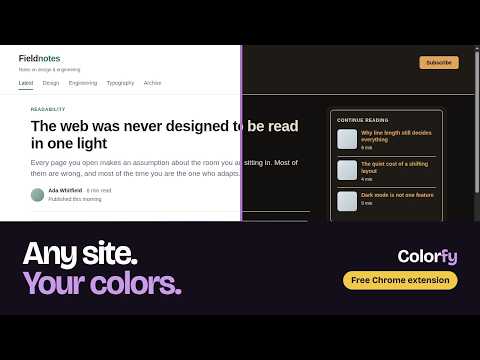
Change colors of elements on a web page easily.
Colorfy lets you change the colors of any website to suit you. Recolor a single element, or describe a theme and let Colorfy build the whole page. Keep several looks per site and switch between them instantly. 🎨 KEY FEATURES: • Click to recolor - click any element on the page and set its background and text colors • Whole-page themes - pick a ready-made one (Dark, Night, Paper, High contrast) or describe what you want ("cozy autumn evening", "reduce eye strain") and Colorfy recolors the whole page. Free on one site at a time, with as many themes as you like on it. • Up to 15 styles per website - keep named themes like "Dark Mode", "High Contrast" or "Work Theme" • Instant switching - flip between your themes and the original design in one click • Full color control - curated palettes, a custom color picker, and gradient backgrounds • Saves automatically - stored on your device, per website, and reapplied every visit 🔧 HOW TO USE: 1. Click the Colorfy icon 2. Click any element you want to change 3. Pick a background and text color - or choose a ready-made theme, or describe one, and let Colorfy recolor the whole page 4. Your changes save automatically A full illustrated guide ships with the extension: open Colorfy's options and click "How to use Colorfy". 🗂️ STYLE MANAGEMENT: • Rename, duplicate or delete styles - each keeps its own changes • Switch to "Original" to see the unmodified page • Right-click anywhere → "Colorfy: Switch to Original" for a quick toggle 🧹 EASY CLEANUP: • Switching to "Original" never destroys anything • Clear all changes from all websites in the extension options 🌍 MULTI-LANGUAGE SUPPORT: • English, Croatian and Serbian • Automatically follows your browser language Perfect for anyone who finds a site hard to read, web designers testing color schemes, or anyone who wants the web to look the way they prefer. Works on any website and keeps your customizations across browser sessions. PRIVACY: Your colors, styles and settings are stored only on your device and are never uploaded. Two things in Colorfy use the network, and nothing else does. Describing your own theme sends, at the moment you click "Generate Theme", the text you typed, the page title, and a random ID used to limit how many themes are generated for a single device each day; your text is passed to an AI model to produce a palette. Separately, when Colorfy tells you that themes are already active on another site, it records that this message was shown - one word, no identifier of any kind, at most once a day. The ready-made themes need no connection at all. The page address and the page's content are never sent, nothing is sent while you browse, and every other part of Colorfy works offline. If you uninstall Colorfy, a page opens asking one optional question about why. Answering is up to you, and nothing is sent unless you choose an option and press Send. PERMISSIONS EXPLAINED: • Read and change all your data on all websites - you decide which sites to recolor, so Colorfy cannot know them in advance. It writes colors to the page you are on; see Privacy above for the only thing it ever sends. • Storage and unlimited storage - keeps your styles on your device. Unlimited so that saving themes for many sites cannot hit the quota and lose your work. • Active tab and scripting - applies your colors to the tab you are working on. • Context menus - adds the right-click "Switch to Original" option.
4.1 out of 57 ratings
Details
- Version1.3.3
- UpdatedOctober 23, 2026
- Offered bycolorfy.application
- Size851KiB
- Languages3 languages
- Developer
Email
colorfy.application@gmail.com - Non-traderThis developer has not identified itself as a trader. For consumers in the European Union, please note that consumer rights do not apply to contracts between you and this developer.
Privacy

Colorfy has disclosed the following information regarding the collection and usage of your data. More detailed information can be found in the developer's privacy policy.
Colorfy handles the following:
This developer declares that your data is
- Not being sold to third parties, outside of the approved use cases
- Not being used or transferred for purposes that are unrelated to the item's core functionality
- Not being used or transferred to determine creditworthiness or for lending purposes