

Nayovi — Chapter reader

Overview
Prepare complete chapter originals in your browser, then translate and read with Nayovi.
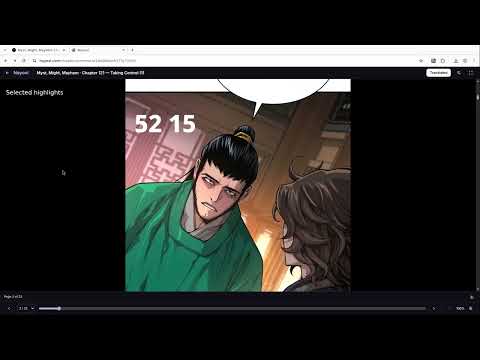
Prepare a complete chapter in Chrome, then translate and read it with Nayovi. Open an HTTPS chapter you are allowed to process, open the Nayovi extension and choose Prepare this chapter. Grant access only to the chapter website and any image hosts listed by the extension. Nayovi checks page order and completeness, saves the original images in your browser and opens the matching preparation page on nayovi.com. Your selected chapter URL is sent when that page opens. If you are signed in to Nayovi, its website automatically uploads the original images and chapter metadata as a preparation draft, before you choose Translate. The data includes source and image URLs, chapter identity/title, source language and ordered page descriptors. An ambiguous supported reader may use Nayovi’s server to select from observed image groups. This is a hosted service, so chapter images do not remain only on your device. On Nayovi, choose the target language and available translation options, then start translation and open the reader. Translation uses Nayovi credits; eligible trial access or paid credits may be required. The extension itself does not collect your payment details. Sign-in and checkout take place on the website. Pause and resume reuse saved originals, including after a Chrome restart. Local chapter copies expire after 24 hours of inactivity and are cleaned when Chrome next handles cleanup or the extension opens. Remove local copy deletes the browser copy; it does not delete files already uploaded to Nayovi. The source tab stays open. Moving it to a different chapter stops preparation. Missing pages, duplicates, protected access, unverifiable readers and original-image download restrictions can stop the workflow. Support for every source is not guaranteed and access restrictions are not bypassed. Use only chapters and images you own or have permission to process. Privacy and support: https://nayovi.com/legal/privacy and https://nayovi.com/support.
0 out of 5No ratings
Details
- Version0.1.6
- UpdatedOctober 28, 2026
- FeaturesOffers in-app purchases
- Offered byNayovi
- Size69.89KiB
- Languages2 languages
- Developer
Email
contact@nayovi.com - Non-traderThis developer has not identified itself as a trader. For consumers in the European Union, please note that consumer rights do not apply to contracts between you and this developer.
Privacy

Nayovi — Chapter reader has disclosed the following information regarding the collection and usage of your data. More detailed information can be found in the developer's privacy policy.
Nayovi — Chapter reader handles the following:
This developer declares that your data is
- Not being sold to third parties, outside of the approved use cases
- Not being used or transferred for purposes that are unrelated to the item's core functionality
- Not being used or transferred to determine creditworthiness or for lending purposes
Support
For help with questions, suggestions, or problems, visit the developer's support site