


Overview
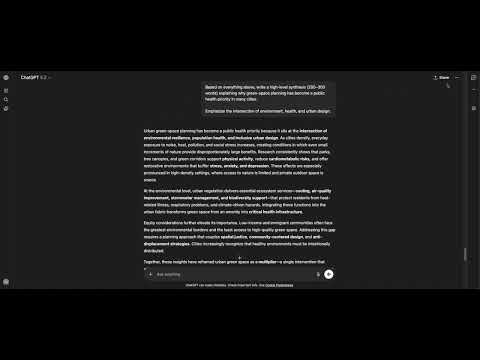
Sidebar for ChatGPT: jump to any prompt, browse history, copy, bookmark, edit, export and navigate versions - all without scrolling.
Stop scrolling. Find any prompt instantly. NavGPT adds a sidebar to ChatGPT that makes your conversation history visible, organised, and easy to navigate. Instead of endlessly scrolling through long chats, you can see every prompt, jump between them instantly, and revisit earlier versions of your conversation. ✨ Features 🔎 Prompt Timeline View a clean list of all your prompts alongside your ChatGPT conversation. Understand the entire flow of your conversation at a glance. ⚡ Jump Instantly Click any prompt in the sidebar to jump directly to that point in the conversation. No more scrolling through long threads. 📋 Copy Prompts Copy any prompt with a single click. Perfect for saving, reusing, or testing variations. ✏️ Edit Previous Prompts Jump back to any earlier prompt and edit it to refine your results. Great for redrafting content, experimenting with instructions, or improving outputs. 🔀 Version Navigation When you edit a prompt, ChatGPT can generate alternate responses. NavGPT detects these edited versions and lets you switch between them instantly — without losing your original path. 📌 Bookmark Prompts Bookmark important prompts so they're always easy to find, no matter how long the conversation gets. 📤 Export to Markdown Export your full conversation to Markdown with a single click. 💼 Who NavGPT Is For NavGPT is built for people who use ChatGPT seriously for work or creative thinking: Developers exploring different coding approaches Writers drafting and refining text Researchers running long prompt chains Marketers iterating on messaging Anyone who uses ChatGPT for long or complex conversations 🔐 Privacy First NavGPT does not collect or transmit your ChatGPT conversations. No analytics No tracking No ads No data selling Your prompts and responses stay entirely inside your browser. Minimal local storage is used only for sidebar preferences. No conversation content is ever transmitted. 📦 Permissions Explained chatgpt.com access — Required to display the sidebar and read prompts so they can be listed. Storage — Used to save sidebar preferences locally. NavGPT does not run on or access any other websites. 📋 Changelog Version 1.0.10 - Update UI after ChatGPT's native prompt navigation integration. Added prompt item text hydration sweep, fixed export function, updated version UX. Version 1.0.9 - Fixed scrolling bug & styling after OpenAI DOM changes, Added feedback toast. Version 1.0.8 - Removed paid gating, added chat export as .md, fixed scrolling accuracy Version 1.0.7 - Added response link & updated sidebar prompt item layout
5 out of 51 rating
Details
- Version1.0.10
- UpdatedJuly 8, 2026
- Size32.87KiB
- LanguagesEnglish (United Kingdom)
- DeveloperWebsite
Email
support@navgpt.app - Non-traderThis developer has not identified itself as a trader. For consumers in the European Union, please note that consumer rights do not apply to contracts between you and this developer.
Privacy

This developer declares that your data is
- Not being sold to third parties, outside of the approved use cases
- Not being used or transferred for purposes that are unrelated to the item's core functionality
- Not being used or transferred to determine creditworthiness or for lending purposes
Support
For help with questions, suggestions, or problems, visit the developer's support site