

Full Page Screenshot - Scroll, Area & Full Capture
3 ratings
)
Overview
Full page screenshots, scrolling capture & scroll selection. Auto-copies to clipboard. No account, no tracking — 100% on-device.
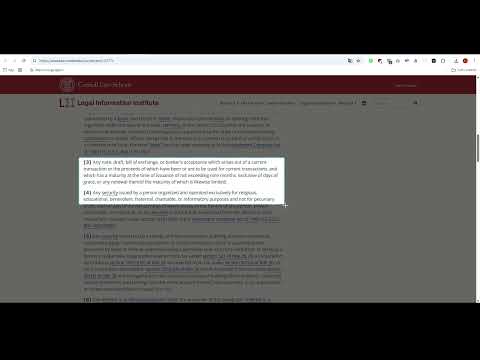
Full Page Screenshot — capture entire web pages, visible screens, or precise scrolling selections. Combine multiple captures and edit them with the built-in editor. FOUR CAPTURE MODES - Full Page — automatically scrolls and stitches the page into one image, including supported scrollable containers. - Visible Only — captures exactly what you see on screen. - Select Area — drag to select a region. Keep dragging near the screen edge to extend your selection with auto-scroll. - Multi Snip — collect multiple captures, even from different tabs, and arrange them together in the editor. BUILT-IN EDITOR - Move, resize, crop, and arrange your captures on a flexible canvas. - Cover sensitive information with solid redaction or blur. - Add highlights, text, lines, shapes, and numbered steps. - Choose custom colors and magnify details with zoom callouts. - Add backgrounds, frames, shadows, rounded corners, and a watermark. - Adjust zoom and undo or redo changes. - Preview, copy, print, or export as PNG, JPG, WEBP, or PDF. EVERYDAY FEATURES - Capture to here — right-click the page, choose "Set screenshot end line", and place or adjust the line. Use its button or the extension icon to capture from the top to that point. - Pause scrolling with Space — hold Space before or during area selection to keep the page still while you draw. Release it to resume scrolling. No settings to open. - Copy to clipboard — enabled by default, ready to paste with Ctrl+V. You can turn it off in settings. - Save captures locally in the "screenshots" folder inside Downloads. - Capture progress indicator. - Stop anytime — click the extension icon or press Esc to cancel a Full Page or Select Area capture. - Smart handling of fixed and sticky elements to reduce repeated headers and overlapping content. - Optional pixel magnifier for precise area selection. - Optional quick panel for choosing a capture mode when clicking the extension icon. PRIVACY FIRST No data collection, tracking, or analytics. Captures are processed locally on your device. No account or cloud upload required. Right-click the extension icon to open settings and choose your default capture mode.
5 out of 53 ratings
Details
- Version9.13
- UpdatedOctober 4, 2026
- Size1.55MiB
- LanguagesEnglish (United Kingdom)
- Developer
Email
lollotj@yahoo.it - Non-traderThis developer has not identified itself as a trader. For consumers in the European Union, please note that consumer rights do not apply to contracts between you and this developer.
Privacy

This developer declares that your data is
- Not being sold to third parties, outside of the approved use cases
- Not being used or transferred for purposes that are unrelated to the item's core functionality
- Not being used or transferred to determine creditworthiness or for lending purposes