

n8n Workflow Generator
4 ratings
)
Overview
AI-powered n8n workflow builder, describe what you need, get a ready-to-use workflow on your canvas.
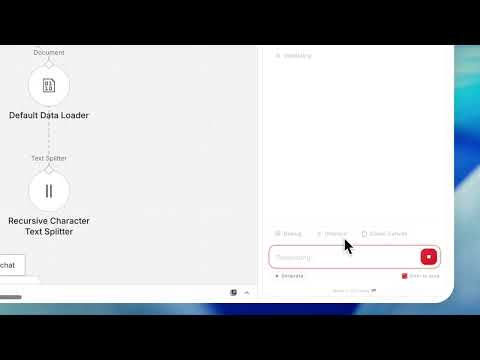
Spending hours manually building automation workflows node by node? n8n Workflow Generator does it for you. Just describe what you want in plain English, and AI builds the complete workflow. No manual node configuration. No connection headaches. No guesswork. Just describe and deploy. The extension lives right inside your n8n editor as a side panel. Type what you need, and it creates a fully wired workflow with the right nodes, the right settings, and the right connections. One click adds it to your canvas. Already have a workflow? Ask the AI to debug it, improve it, or explain what it does. Switch to Chat mode and ask anything about n8n like how nodes work, best practices, what went wrong. Got a cURL command from an API doc? Paste it in and get a working HTTP Request workflow instantly. WHAT YOU CAN DO: - Describe any automation in plain English and get a complete n8n workflow - Add generated workflows to your canvas with one click - Debug existing workflows — AI captures your canvas and diagnoses errors - Improve workflows — AI adds error handling, optimizes configuration - Chat with an AI assistant about n8n nodes, connections, and best practices - Describe your workflow — auto-generate documentation in seconds - Convert cURL commands into ready-to-use HTTP Request workflows - Push workflows directly to any n8n instance via REST API - Right-click any text, link, or page to generate a workflow from it - Export workflows as JSON or copy to clipboard - Browse your generation history and re-use past workflows HOW IT WORKS: 1. Open any workflow in your n8n editor (Cloud or self-hosted) 2. Click the AI panel that appears on the right side 3. Describe what you want: "Monitor an RSS feed and send new posts to Slack" 4. Watch nodes appear on your canvas in real time 5. Your workflow is ready — just add credentials and activate WORKS WITH YOUR FAVORITE AI: Bring your own API key from Anthropic Claude, OpenAI GPT, Azure OpenAI, OpenRouter, or Z.ai. Your prompts go directly to the provider you choose — nothing passes through us. BUILT FOR THE N8N COMMUNITY: Whether you're new to n8n and don't know which nodes to pick, or an automation expert who wants to move faster and this extension saves you time on every workflow. Works with n8n Cloud, self-hosted instances, and localhost setups. No data collected. Your workflows stay yours.
5 out of 54 ratings
Details
- Version1.2.1650
- UpdatedOctober 1, 2026
- Offered bySkayel
- Size561KiB
- LanguagesEnglish (United States)
- DeveloperSkayel
5 South Charlotte Street Edinburgh EH2 4AN GBEmail
support@next8n.comPhone
+44 7366 432090 - TraderThis developer has identified itself as a trader per the definition from the European Union and committed to only offer products or services that comply with EU laws.
- D-U-N-S234473974
Privacy

n8n Workflow Generator has disclosed the following information regarding the collection and usage of your data. More detailed information can be found in the developer's privacy policy.
n8n Workflow Generator handles the following:
This developer declares that your data is
- Not being sold to third parties, outside of the approved use cases
- Not being used or transferred for purposes that are unrelated to the item's core functionality
- Not being used or transferred to determine creditworthiness or for lending purposes
Support
For help with questions, suggestions, or problems, please open this page on your desktop browser