


總覽
n8n Copilot 助手 - 透過 AI 驅動聊天快速建立、修復和改進工作流程,實現無縮自動化。
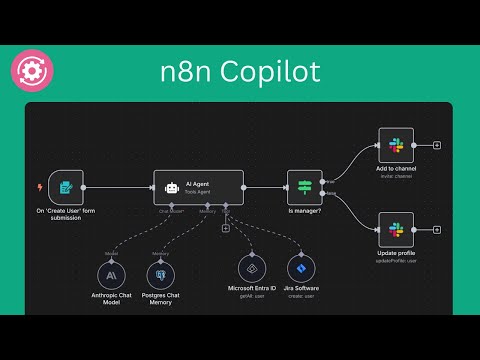
⚡️ Supercharge Your n8n Automation with AI n8n Copilot for Chrome – Your smart assistant to build, edit, and debug workflows using plain language and powerful AI. Perfect for beginners, power users, and anyone automating with n8n. 🤖 What Is It? n8n Copilot is a Chrome extension that brings AI-driven workflow automation directly into your n8n editor. Just type what you want to build — in plain English — and watch as the assistant instantly creates workflows, nodes, and complex automations. No code? No problem. No time? Even better. 🔌 Seamless Integration with n8n Works with: • ✅ n8n.cloud • ✅ Self-hosted instances The AI chat window appears right inside your n8n editor, so you never need to leave your workflow to build or modify automations. ✨ Key Features 1. 🧠 AI Node Creation Describe a task, and the assistant adds ready-to-run nodes with accurate settings — no config hassle. 2. 🔄 Full Workflow Generation Want a multi-step automation? Just describe it, and get a fully wired workflow instantly. 3. 🖼️ Recreate Workflows from Screenshots Upload a screenshot of any n8n flow, and the assistant rebuilds it for you. 4. 🌐 Real-Time Web Search For up-to-date info (e.g., current APIs, services), the AI can search the web and use that data in your automation. 5. 🤖 Multi-AI Model Support Use your own OpenAI or Gemini API key – choose what works best for you. 6. 💬 Natural Language Chat Interface Skip the documentation. Just chat with AI like you would with a teammate. 7. ⚡ Instant Workflow Updates Generated workflows and nodes appear instantly on your canvas — no copy/paste, no manual connections. 8. 🚀 Faster Workflow Development Build advanced automations in minutes — ideal for teams, devs, and solo builders alike. 9. 🛡️ Privacy First Your data stays local. We don’t store or send any of your workflow data — it stays on your device. 🔧 How to Use 1. 🧩 Install the Extension from Chrome Web Store 2. 🔐 Enter your OpenAI or Gemini API key 3. 💡 Ask for what you want (e.g., “Connect Gmail to Notion when I get an email from my boss”) 4. 🎯 See the magic — workflows appear instantly in your editor 5. 🛠️ Tweak anything manually if needed 💡 Tip: Refresh your n8n editor after installing for the best experience! 👤 Who’s It For? • 🧑💻 Developers – Prototype integrations without memorizing every node • 📈 Business Users – Create automations without technical skills • ⚙️ n8n Beginners – Build confidently with AI guidance • 🏗️ Workflow Experts – Accelerate routine automation tasks 🚀 Real-World Use Cases • 🔁 API Automation “Create a workflow that pulls new deals from Pipedrive and sends them to Slack.” • 🔄 Data Conversion “Transform Google Sheets data into JSON and send it to a webhook.” • 📥 Email Sorting “Route emails with attachments to Dropbox and notify me on Telegram.” • 👥 Team Onboarding “Set up Google Workspace, Notion, and Slack channels for a new employee.” • 📊 Scheduled Reports “Email me a KPI report from Airtable every Friday at 5 PM.” ⚙️ Technical Details • ✅ Compatible with cloud and self-hosted n8n • ✅ Supports custom & community nodes • 🔑 Requires your own OpenAI or Gemini API key • 🔐 Data stored locally – nothing sent to third parties ℹ️ About n8n Copilot is an independent Chrome extension and not affiliated with n8n.io. n8n is an open-source workflow automation platform that connects hundreds of apps and services. This extension makes building automations faster, easier, and smarter.
3.5 分 (滿分 5 分)4 個評分
詳細資料
隱私權

「n8n Copilot - AI 聊天助手,生成工作流程」已揭露下列關於收集及使用資料的資訊。 如需更多詳細資訊,請參閱開發人員的《privacy policy》。
n8n Copilot - AI 聊天助手,生成工作流程 會處理下列資料:
這位開發者就你的資料做出下列聲明:
- 除經核准的用途外,不會將你的資料販售給第三方
- 不會基於與商品核心功能無關的目的,使用或轉移資料
- 不會為了確認信用度或基於貸款目的,使用或轉移資料
支援
如有疑問或建議,請前往開發人員的支援網站