


概要
n8nコパイロットアシスタント - AIチャットでワークフローの構築、修正、改善を素早く行い、スムーズな自動化を実現。
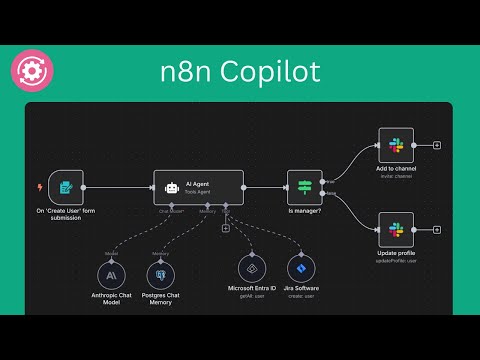
⚡️ Supercharge Your n8n Automation with AI n8n Copilot for Chrome – Your smart assistant to build, edit, and debug workflows using plain language and powerful AI. Perfect for beginners, power users, and anyone automating with n8n. 🤖 What Is It? n8n Copilot is a Chrome extension that brings AI-driven workflow automation directly into your n8n editor. Just type what you want to build — in plain English — and watch as the assistant instantly creates workflows, nodes, and complex automations. No code? No problem. No time? Even better. 🔌 Seamless Integration with n8n Works with: • ✅ n8n.cloud • ✅ Self-hosted instances The AI chat window appears right inside your n8n editor, so you never need to leave your workflow to build or modify automations. ✨ Key Features 1. 🧠 AI Node Creation Describe a task, and the assistant adds ready-to-run nodes with accurate settings — no config hassle. 2. 🔄 Full Workflow Generation Want a multi-step automation? Just describe it, and get a fully wired workflow instantly. 3. 🖼️ Recreate Workflows from Screenshots Upload a screenshot of any n8n flow, and the assistant rebuilds it for you. 4. 🌐 Real-Time Web Search For up-to-date info (e.g., current APIs, services), the AI can search the web and use that data in your automation. 5. 🤖 Multi-AI Model Support Use your own OpenAI or Gemini API key – choose what works best for you. 6. 💬 Natural Language Chat Interface Skip the documentation. Just chat with AI like you would with a teammate. 7. ⚡ Instant Workflow Updates Generated workflows and nodes appear instantly on your canvas — no copy/paste, no manual connections. 8. 🚀 Faster Workflow Development Build advanced automations in minutes — ideal for teams, devs, and solo builders alike. 9. 🛡️ Privacy First Your data stays local. We don’t store or send any of your workflow data — it stays on your device. 🔧 How to Use 1. 🧩 Install the Extension from Chrome Web Store 2. 🔐 Enter your OpenAI or Gemini API key 3. 💡 Ask for what you want (e.g., “Connect Gmail to Notion when I get an email from my boss”) 4. 🎯 See the magic — workflows appear instantly in your editor 5. 🛠️ Tweak anything manually if needed 💡 Tip: Refresh your n8n editor after installing for the best experience! 👤 Who’s It For? • 🧑💻 Developers – Prototype integrations without memorizing every node • 📈 Business Users – Create automations without technical skills • ⚙️ n8n Beginners – Build confidently with AI guidance • 🏗️ Workflow Experts – Accelerate routine automation tasks 🚀 Real-World Use Cases • 🔁 API Automation “Create a workflow that pulls new deals from Pipedrive and sends them to Slack.” • 🔄 Data Conversion “Transform Google Sheets data into JSON and send it to a webhook.” • 📥 Email Sorting “Route emails with attachments to Dropbox and notify me on Telegram.” • 👥 Team Onboarding “Set up Google Workspace, Notion, and Slack channels for a new employee.” • 📊 Scheduled Reports “Email me a KPI report from Airtable every Friday at 5 PM.” ⚙️ Technical Details • ✅ Compatible with cloud and self-hosted n8n • ✅ Supports custom & community nodes • 🔑 Requires your own OpenAI or Gemini API key • 🔐 Data stored locally – nothing sent to third parties ℹ️ About n8n Copilot is an independent Chrome extension and not affiliated with n8n.io. n8n is an open-source workflow automation platform that connects hundreds of apps and services. This extension makes building automations faster, easier, and smarter.
5 点満点で 3.54 件の評価
詳細
プライバシー

n8nコパイロット - ワークフローを生成するAIチャットアシスタント から、お客様のデータの収集と使用に関する以下の情報が開示されています。 詳しくは、デベロッパーの privacy policy をご確認ください。
n8nコパイロット - ワークフローを生成するAIチャットアシスタント は次を扱います。
このデベロッパーは、お客様のデータについて以下を宣言しています
- 承認されている以外の用途で第三者に販売しないこと
- アイテムの中心機能と関係のない目的で使用または転送しないこと
- 信用力を判断する目的または融資目的で使用または転送しないこと
サポート
質問や提案、問題がある場合は、デベロッパーのサポートサイトにアクセスしてください。