

N-bot - Microsoft Teams Online class Attender

Panoramica
By Nithin S
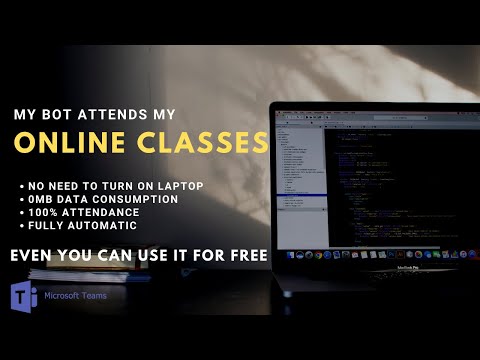
* Microsoft Teams Online meeting attending bot. * Microsoft Teams automatic meeting attender. - Changelog v2.5 : Most awaited feature. Mutes your mic before joining a meeting Google Meet users can refer here : https://link.nithins.me/gmbot [ For educational purposes only - To learn how chrome extension can perform daily repeated tasks ] Detailed info and tutorial to operate the bot is available on my YouTube channel : https://youtube.com/TechinStudio You'll get your full attendance for all the classes. (I am not responsible for any issues related to your attendance.) 1) Provide the name of your Microsoft-team according to its time slot by clicking on the extension 2) Just keep your PC on and the bot will attend all your classes. OR 2.5) Deploy it on an Azure server to save data and also your PC. This will make the bot fully autonomous 3) Will join the meetings at the exact provided time. 4) Exits meeting at the prescribed time. 5) Waits for the next class to start and continues its process. 6) Will run for days/weeks/months without human interaction provided that the timetable remains same on all days. 7) You can update your timetable on the bot any time in between. (Refresh window after update) 8) Report bugs at nithin.s491@gmail.com [Non functional for PES University students ONLY] [Any other organisation who wish to ban this bot for your organisation's meetings can contact me personally on nithin.s491@gmail.com] - Online Class attending bot
4,5 su 554 valutazioni
Dettagli
- Versione3.0.0
- Ultimo aggiornamento:13 marzo 2025
- Dimensioni124KiB
- LingueEnglish
- SviluppatoreNithin SomashekaraiahSito web
Aryabahata Road Hassan, Karnataka 573202 INEmail
nithin.s491@gmail.comTelefono
+91 94815 43420 - CommercianteQuesto sviluppatore si è identificato come commerciante in base alla definizione dell'Unione Europea e si è impegnato a offrire solo prodotti o servizi conformi alle leggi dell'UE.
Privacy

N-bot - Microsoft Teams Online class Attender ha comunicato le seguenti informazioni relative alla raccolta e all'utilizzo dei tuoi dati. Per informazioni più dettagliate, consulta le privacy policy dello sviluppatore.
N-bot - Microsoft Teams Online class Attender gestisce quanto segue:
Questo sviluppatore dichiara che i tuoi dati:
- Non vengono venduti a terze parti, se non per i casi d'uso approvati.
- Non vengono usati o trasferiti per finalità non correlate alle funzionalità principali dell'elemento.
- Non vengono usati o trasferiti per stabilire l'affidabilità creditizia o per finalità di prestito.
Assistenza
Per ricevere assistenza in merito a domande, suggerimenti o problemi, apri questa pagina nel browser desktop