


Overview
Discipline enforcement for TradingView and Hyperprop. Blocks orders that break your rules: time windows, cooldowns, loss limits.
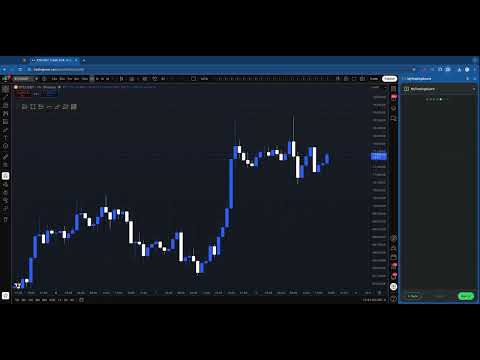
MyTradingGuard sits between TradingView and your broker and blocks any order that breaks your own trading rules — before it reaches the market. Every Buy or Sell you place on TradingView is checked in the browser; if a rule says no, the order never leaves, and a notification tells you exactly why. You set the rules once, on a calm day. MyTradingGuard holds you to them on the hard days. ━━ WHAT'S NEW ━━ • TRY YOUR RULES — a new button on the Dashboard: describe an order and see, before you place it, whether your rules would let it through, treat it as an exit, or block it and why. Nothing is sent to the market. • Hyperprop — your rules now protect orders placed on the Hyperprop web platform too. Switch it on in Settings. • Sound alerts — a short sound when an order is blocked, so you notice it even with your eyes on the chart. Can be turned off in Settings. • Smarter reversals — closing your position is always allowed, but an order larger than the position (which flips you to the other side) now has to respect your rules for the new part. • "Cancel all" is never blocked — pulling your working orders always goes through, whatever the rules say. • Retry — if the broker data stops updating, a Retry button on the Dashboard refreshes it at once. • More reliable — when something goes wrong in the extension we now find out and fix it faster (anonymous, can be turned off in Settings). ━━ 12 RULES, ALL OPTIONAL ━━ • Time windows — trade only during the hours (and days) you choose • Cooldown — a mandatory pause after every completed trade • Overtrading — a cap on trades per day, or within a rolling window • Max losing trades — stop after N losses, in total or in a row • Max order size — caps contracts per order and tracks your net position • Allowed tickers — trade only the symbols on your list • No averaging down — never add to a losing position • Max trailing drawdown — stop when P&L falls too far from the day's peak • Max daily loss — a hard floor for the day • Daily profit target — lock in a good day • Consistency — keep any single day under a share of your profit target (prop-firm style) • High impact news — no new orders from 5 minutes before to 6 minutes after major economic releases Plus "Stop for Today": one click blocks all trading until the next session. There is no undo. ━━ RULES YOU CANNOT TALK YOURSELF OUT OF ━━ Once a rule has been triggered, it is locked for the rest of the session: you cannot loosen it or switch it off while the market is open. Exits that reduce or close a position are always allowed, so a rule can never trap you in a trade. ━━ TRY YOUR RULES ━━ Check a hypothetical order on the Dashboard and see what MyTradingGuard would do right now — allowed, allowed as an exit, or blocked and why. Nothing is sent, counted or recorded, and no broker account is needed. ━━ BROKERS ━━ Works with the brokers you connect inside TradingView. Tradovate has a dedicated integration: realized P&L, trade history and positions are synced at start-up. The other brokers available in TradingView are supported passively, by reading the data TradingView already receives from them — no credentials, no extra requests. ━━ DESIGNED FOR THE MOMENT THAT MATTERS ━━ • Live dashboard in Chrome's side panel: rule status, P&L, countdowns, events log • Setup wizard, auto-save, export and import of your rules • Offline-safe: if the broker connection drops, the rules keep working on cached data • Material Design 3 interface, dark and light themes, accessible (WCAG 2.1 AA) • "Share your Discipline" card for your streaks • Rules can be set by an administrator (Chrome enterprise policy) for teams and prop desks • 39 languages ━━ PRIVACY ━━ Your rules and trades stay on your device. Broker credentials are held only in session memory, never on disk and never sent anywhere. Permissions are asked only when you turn on the feature that needs them. Anonymous usage statistics (no personal or trading data) help us improve the extension, and you can turn them off in Settings. The news rule downloads a public economic calendar from ForexFactory. Free. No account, no subscription, no credit card. Requires Chrome 120 or later, and TradingView (or Hyperprop) in the browser. Also available as a macOS app for TradingView Desktop: https://mytradingguard.com
5 out of 53 ratings
Details
- Version26.10.26.1
- UpdatedOctober 25, 2026
- Size531KiB
- Languages31 languages
- DeveloperWebsite
Email
info@mytradingguard.com - Non-traderThis developer has not identified itself as a trader. For consumers in the European Union, please note that consumer rights do not apply to contracts between you and this developer.
Privacy

This developer declares that your data is
- Not being sold to third parties, outside of the approved use cases
- Not being used or transferred for purposes that are unrelated to the item's core functionality
- Not being used or transferred to determine creditworthiness or for lending purposes
Support
For help with questions, suggestions, or problems, visit the developer's support site