

MyPureCloud Banner
2 ratings
)
Overview
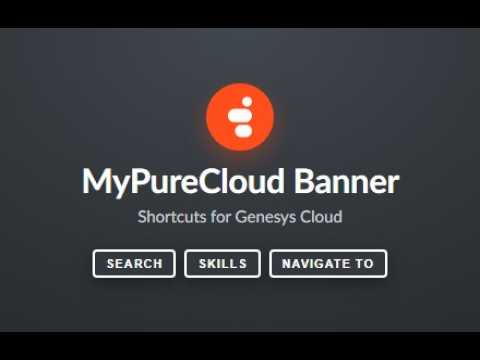
Shortcut bar for Genesys Cloud: search by Interaction Id, jump to Architect or Analytics, and filter agents in one click.
MyPureCloud Banner adds a fixed bar on top of Genesys Cloud with the shortcuts contact center teams use every day. Paste an Interaction Id and you're on its details, open Architect or Analytics without digging through menus, and on certain pages extra tools appear right where you need them. WHAT'S INCLUDED • Search by Interaction Id Paste or type the ID: it formats itself as a UUID, and the Search button takes you straight to the interaction in Analytics. • NAVIGATE TO One-click access to Architect, Analytics Workspace, Queues, Data Tables and Data Actions. They open in a new tab, and each shortcut hides itself when you're already in that section. • Page-aware tools – Queue Activity: a SKILLS button with the queue's skill counts and a CSV download of its agents. – Agent Performance: a Filter Data button that opens a table you can filter by name, skill, time in status and presence, plus one click to show only online agents. – Person profile: an EDIT PERSON button that opens the user's admin page on the Roles tab. • Region at a glance Hover over the organization name to see its region code and name. • Always at hand, never in the way The bar follows Genesys Cloud navigation, pushes the page down so nothing is hidden, and can be closed with "×" and reopened from the small tab at the top. PRIVACY • Runs only on Genesys Cloud domains (mypurecloud.* and pure.cloud). • Uses the Genesys Cloud session you already have open to call Genesys Cloud's own API (organization name, users and queue agents). • Does not collect or send your data to third parties. Works on Chrome and Edge, no setup required. Unofficial extension: not affiliated with or endorsed by Genesys. Genesys Cloud is a trademark of its owner.
5 out of 52 ratings
Details
- Version2.3.5
- UpdatedNovember 18, 2026
- Size51.28KiB
- Languages2 languages
- Developer
Email
97alexisbermudez97@gmail.com - Non-traderThis developer has not identified itself as a trader. For consumers in the European Union, please note that consumer rights do not apply to contracts between you and this developer.
Privacy

This developer declares that your data is
- Not being sold to third parties, outside of the approved use cases
- Not being used or transferred for purposes that are unrelated to the item's core functionality
- Not being used or transferred to determine creditworthiness or for lending purposes