

MyPipCam

Overview
Record this Chrome tab with a live draggable camera PiP (Loom-style). Local library and editor.
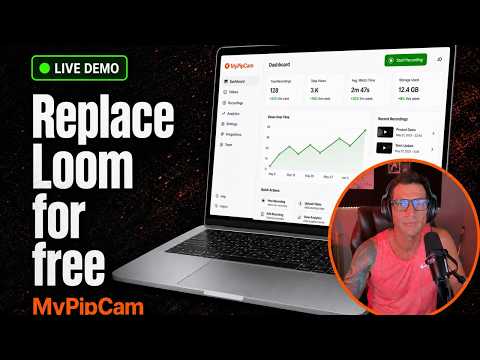
MyPipCam is a free, Loom-style Chrome extension for recording the current tab with a live, draggable camera picture-in-picture — plus a local library, simple editor, optional Google Drive sync, and share links with view counts. Replace Loom for free. Record demos, walkthroughs, bug reports, and async updates without a subscription. ═══════════════════════════════════ WHAT YOU GET ═══════════════════════════════════ • Tab + camera PiP recording — capture this Chrome tab with a floating webcam bubble you can drag and resize • Tab-only mode — skip the camera when you just need the screen • Countdown, pause, and mid-take controls — stay in flow while you record • Local library — keep recordings on your device; open, rename, and manage clips in one place • Built-in editor — trim and export without leaving the extension • Optional Google Drive — Connect Google to upload into a MyPipCam folder and sync across browsers on the same account • Share links with view counts — share a mypipcam.earnyour.com/w/… watch page; views show back in your Library • Optional macOS companion — floating always-on-top camera bubble for OBS / desktop (separate free app from the same project) • Keyboard shortcut — start/stop recording (default Ctrl+Shift+U / ⌘⇧U; editable in chrome://extensions/shortcuts) • Free & open source — MIT License, built by EarnYour Marketing ═══════════════════════════════════ HOW TO INSTALL & START ═══════════════════════════════════ 1. Click Add to Chrome and pin MyPipCam 2. Open any http(s) page you want to record 3. Click the MyPipCam icon → choose Tab + Cam or Tab only 4. Grant camera/mic when prompted (only what you need) 5. Record, stop, then open Library to review, edit, or share Product site & install help: https://mypipcam.earnyour.com Source & releases: https://github.com/EarnYour/MyPipCam Privacy: https://mypipcam.earnyour.com/privacy Terms: https://mypipcam.earnyour.com/terms ═══════════════════════════════════ PRIVACY (HIGH LEVEL) ═══════════════════════════════════ • Recordings stay on your device by default (browser storage or a library folder you choose) • Camera and microphone are used only when you start a recording that needs them • Google Drive and share-link features are optional — connect only if you want cloud upload / watch pages • We do not sell your video content • Full policy: https://mypipcam.earnyour.com/privacy ═══════════════════════════════════ SUPPORT ═══════════════════════════════════ Email: steven@earnyour.com Site: https://mypipcam.earnyour.com GitHub issues: https://github.com/EarnYour/MyPipCam/issues MyPipCam is inspired by picture-in-picture screen-recording workflows. It is not affiliated with Loom; “Loom-style” is descriptive only.
0 out of 5No ratings
Details
- Version1.1.19
- UpdatedAugust 8, 2026
- Offered byearnyour
- Size16.55MiB
- LanguagesEnglish (United States)
- Developer
Email
steven@earnyour.com - Non-traderThis developer has not identified itself as a trader. For consumers in the European Union, please note that consumer rights do not apply to contracts between you and this developer.
Privacy

MyPipCam has disclosed the following information regarding the collection and usage of your data. More detailed information can be found in the developer's privacy policy.
MyPipCam handles the following:
This developer declares that your data is
- Not being sold to third parties, outside of the approved use cases
- Not being used or transferred for purposes that are unrelated to the item's core functionality
- Not being used or transferred to determine creditworthiness or for lending purposes
Support
For help with questions, suggestions, or problems, visit the developer's support site